


In this Lab Report:
Franchisors should book their Meetings in HubSpot and track franchise sales Meeting Types and Meeting Outcomes. It helps with 1:1 sales coaching, helps Reps hold themselves accountable, and sets you up for killer automations like re-booking No Shows.
You know that there are critical meetings or calls that are part of your Franchise Sales process:
Intro or Discovery Meeting
FDD Disclosure
Operations
Unit Economics
Territory
Validation/Acceptance
Closing
You may combine or reorder them, but these are the most common calls Franchisors have with the Prospective Franchisee during the Sales Process.
You also know that your meeting have just a few possible outcomes or states:
Booked but not happened yet
Showed
No Showed
Canceled
You need to be tracking these things specifically. You need to know what types of meetings you had and what the outcomes were.
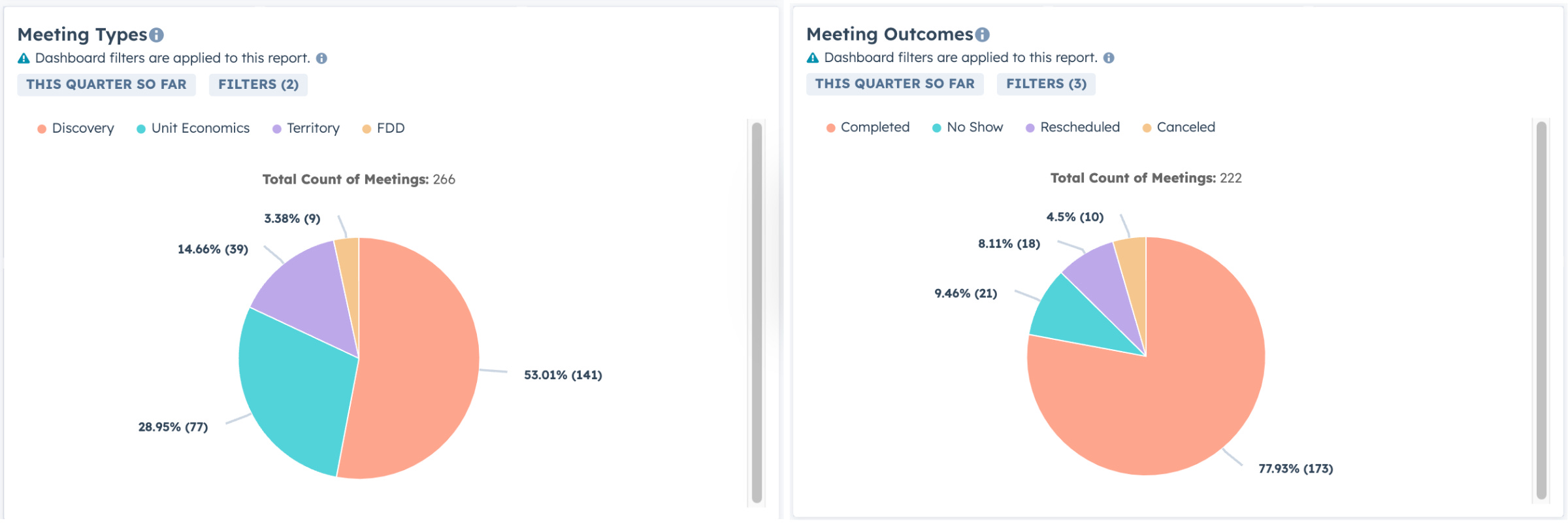
If you haven’t followed the process covered in this Lab Report, you won’t have any data about your meetings with Prospective Zees in HubSpot to work with and you will have no way to build automations that save your Reps time and help them close more Deals.
Here’s how Franchisors should manage and track these meetings in HubSpot:
Set up
Call and Meeting Types*Set up
Meeting Outcomes*Set Types on Meetings when they are created.
Set Outcomes on Meetings when they happen.
Use reports to surface the data and for sales coaching.
*requires HubSpot Sales Pro or Enterprise
👇 Continue for instructions on setting this up. 👇
Doing these things consistently builds a foundation (which we’ll cover in future Lab Reports) that allows you to do things like:
Use Playbooks to capture notes and log Meeting Outcomes.
Automatically enroll No Shows in re-booking Sequences.
Create meeting booking forms/links to set the Meeting Type automatically.
Let’s walk through setting this up
Set up Meeting Types and Outcomes
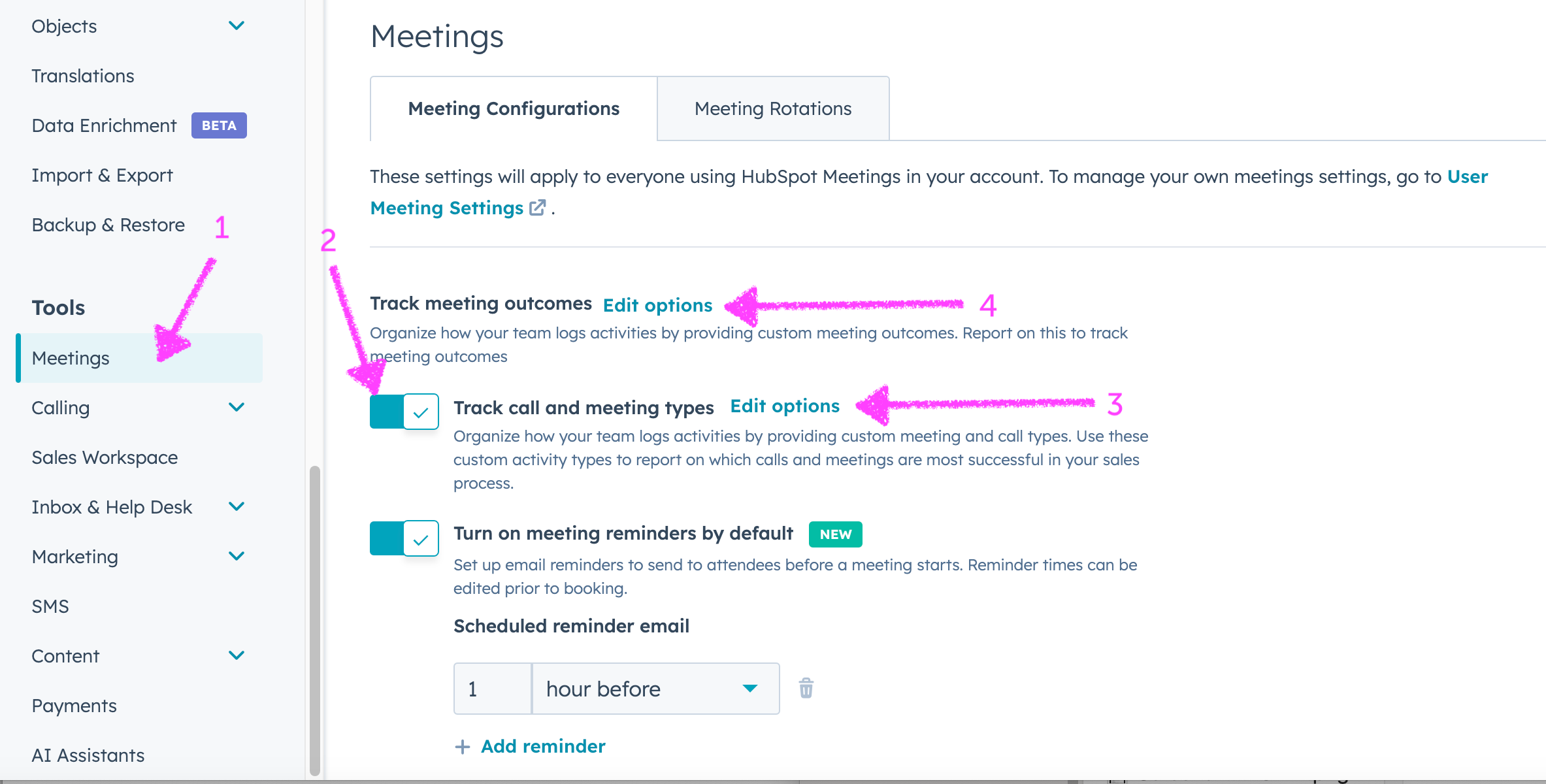
Search for meeting types in the navbar or navigate to Settings → Tools, Meetings
Turn on
Track call and meeting typesif it isn’t already on.Click
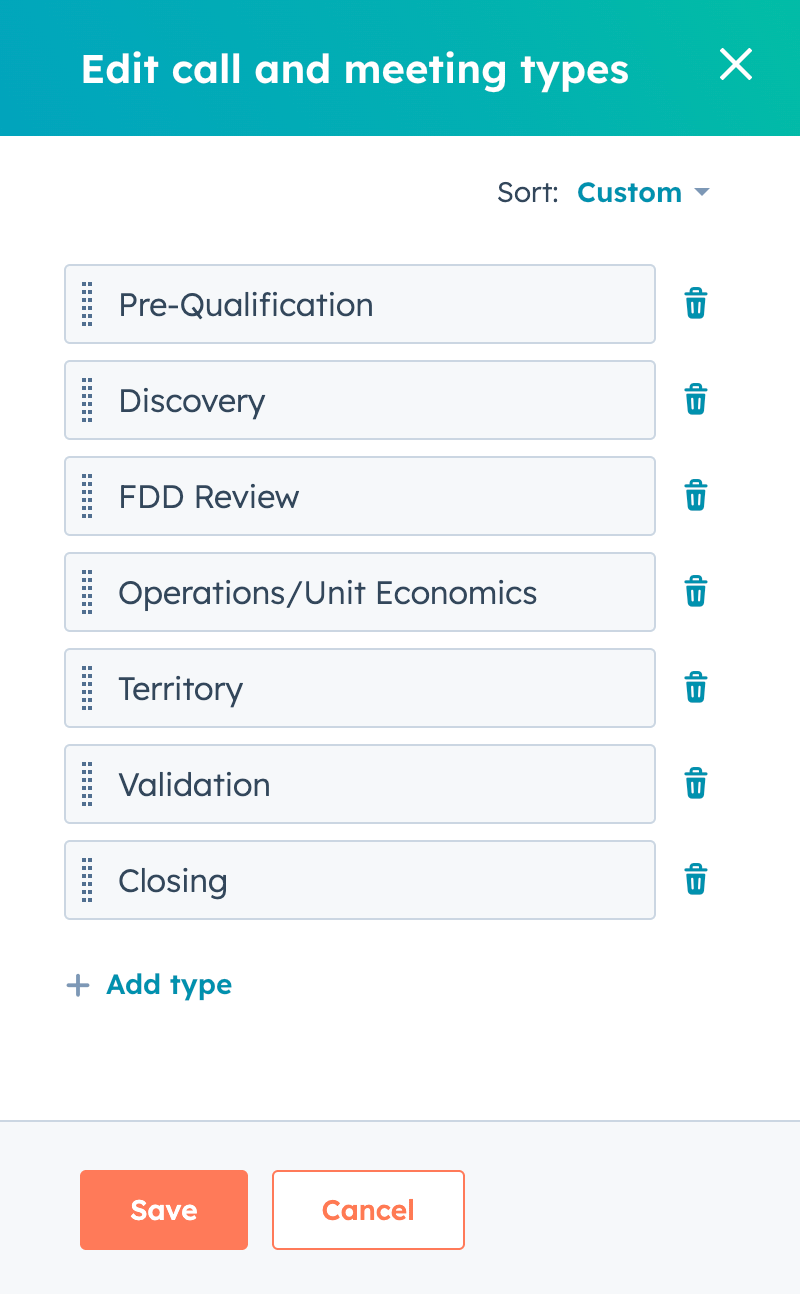
Edit optionsName and order the options to match your Franchise Sales process.
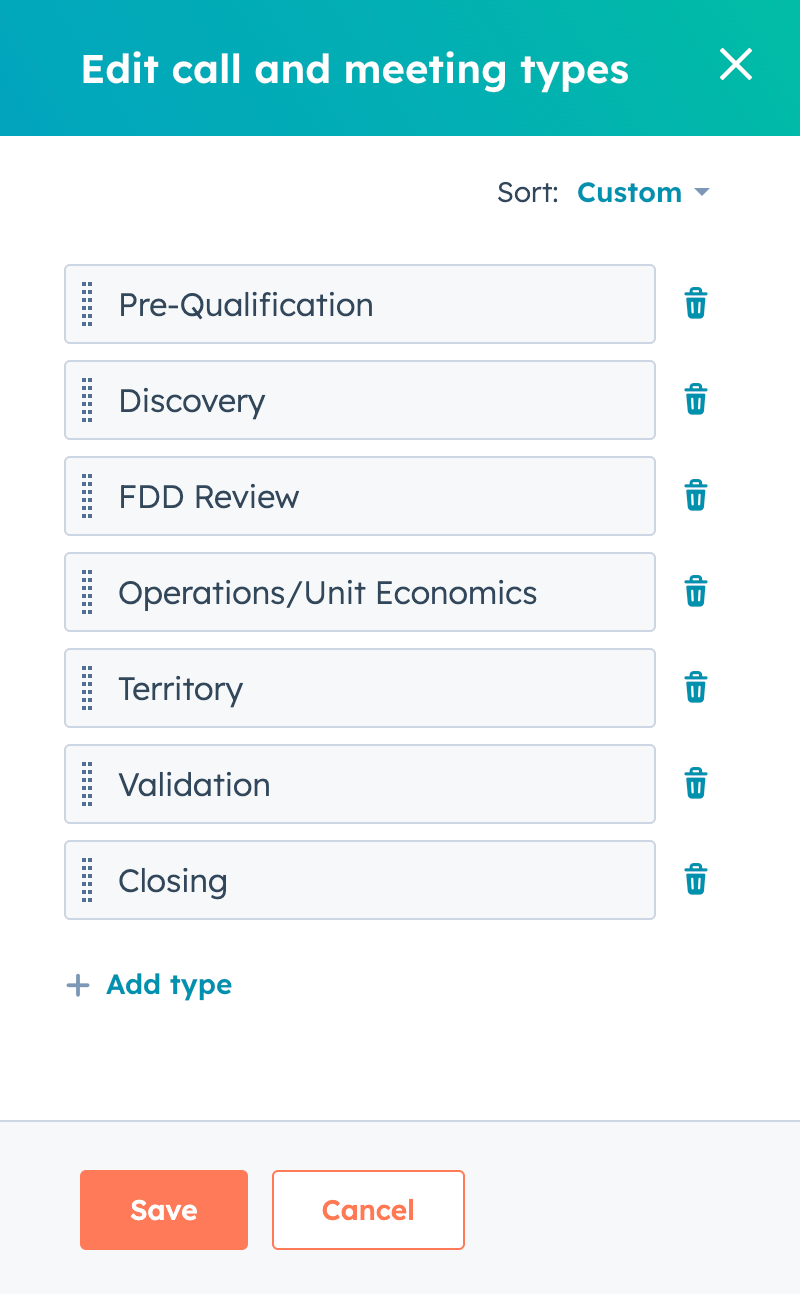
Change names and orders to suit your process. By
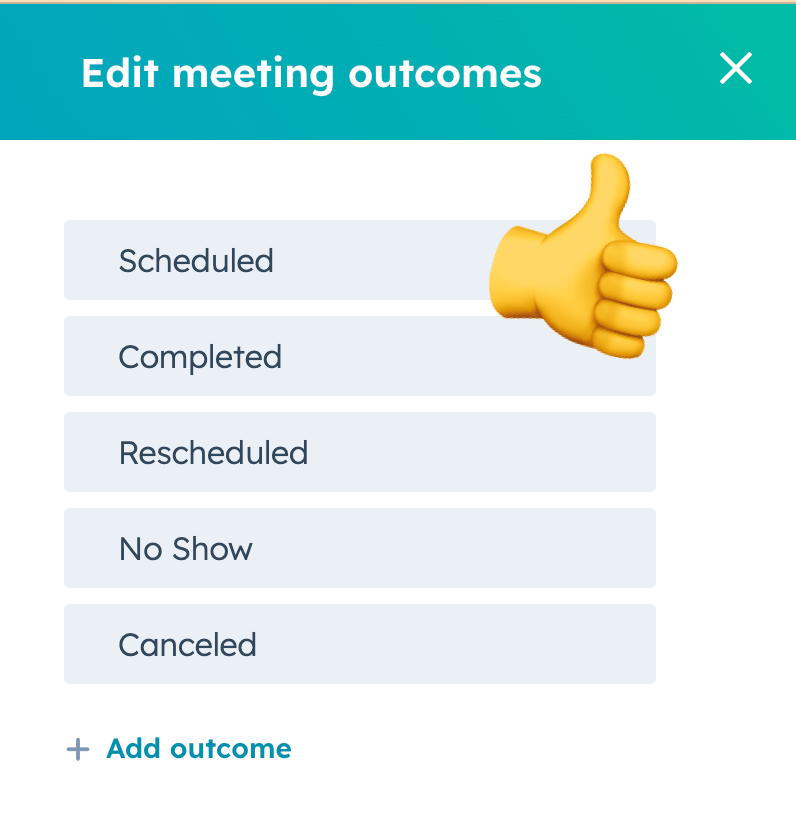
Track meeting outcomesclickEdit options. Change them if needed, but they’re usually fine.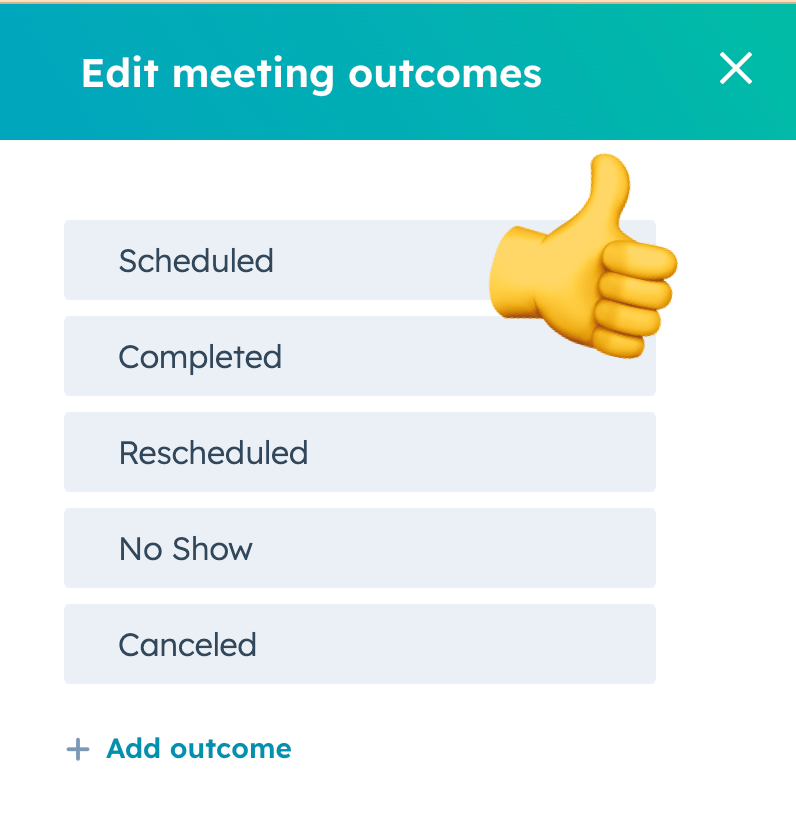
I can’t think of any other Meeting Outcomes.
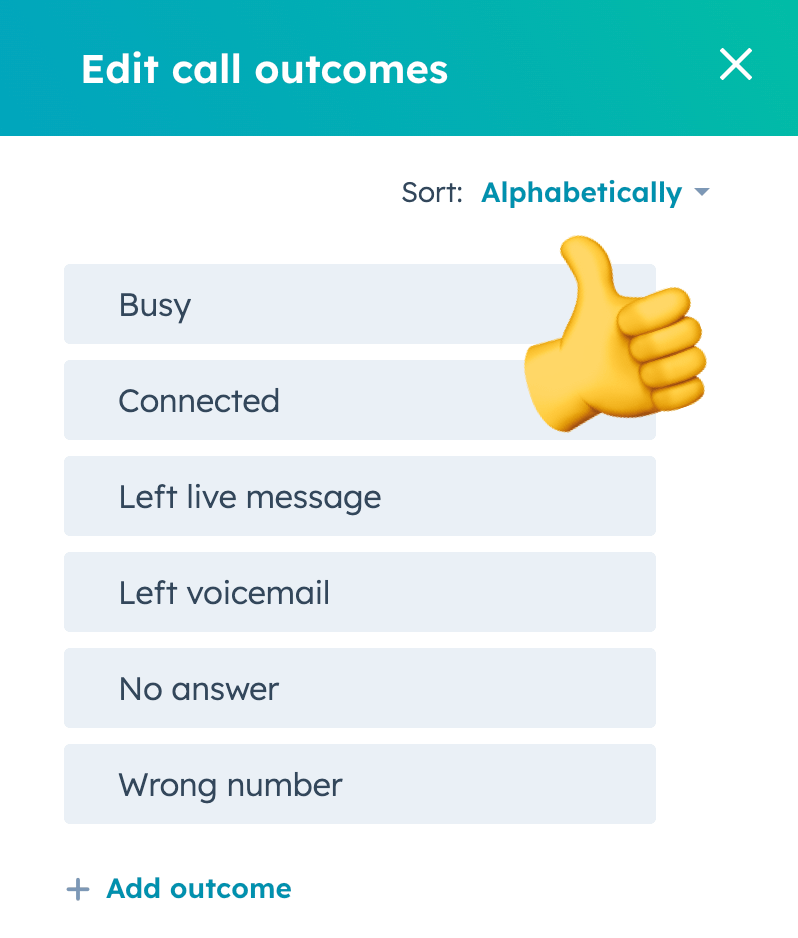
Review Call Outcomes settings
You probably don’t need to change most of these, but you should look at them. The default Call Outcomes are good for most organizations.
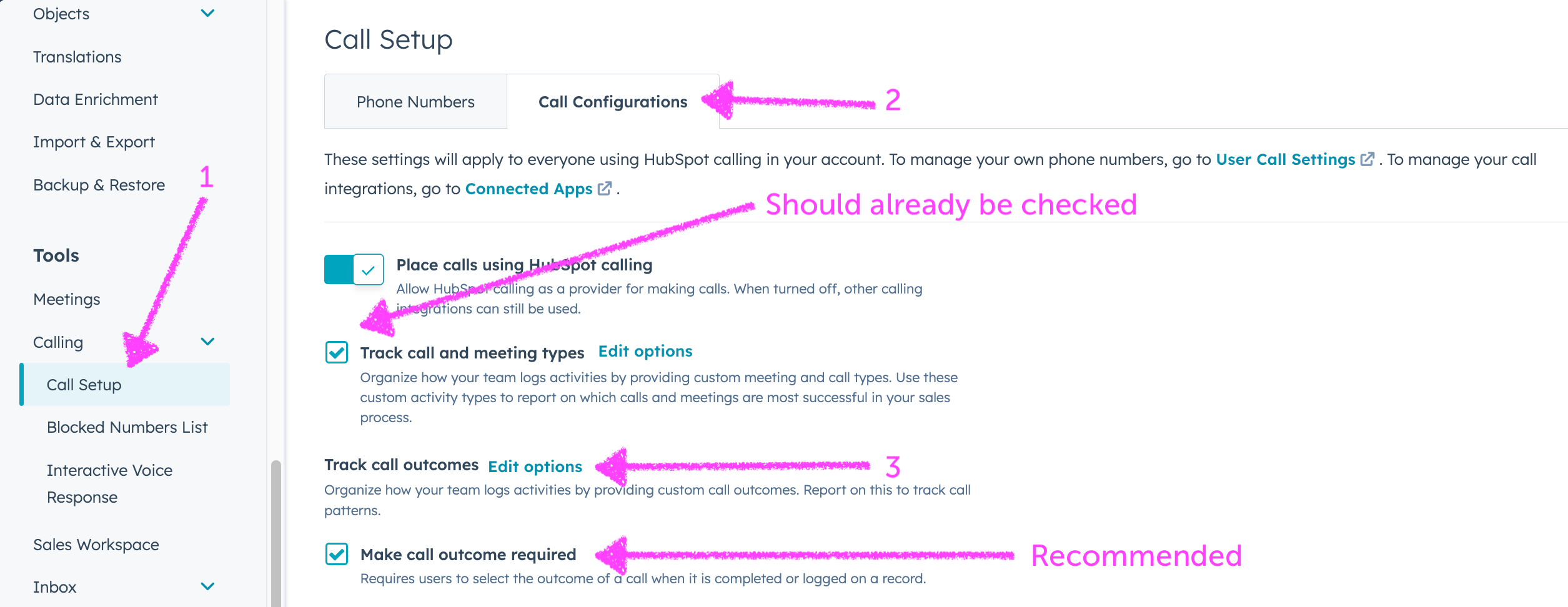
Go to Settings, Tools → Call Setup → Call Configurations tab
Check
Track call and meeting typesif it isn’t.By
Track call outcomesclickEdit optionsand review themOptional: check
Make call outcome required
Set Types on Meetings (and Calls) when they’re created
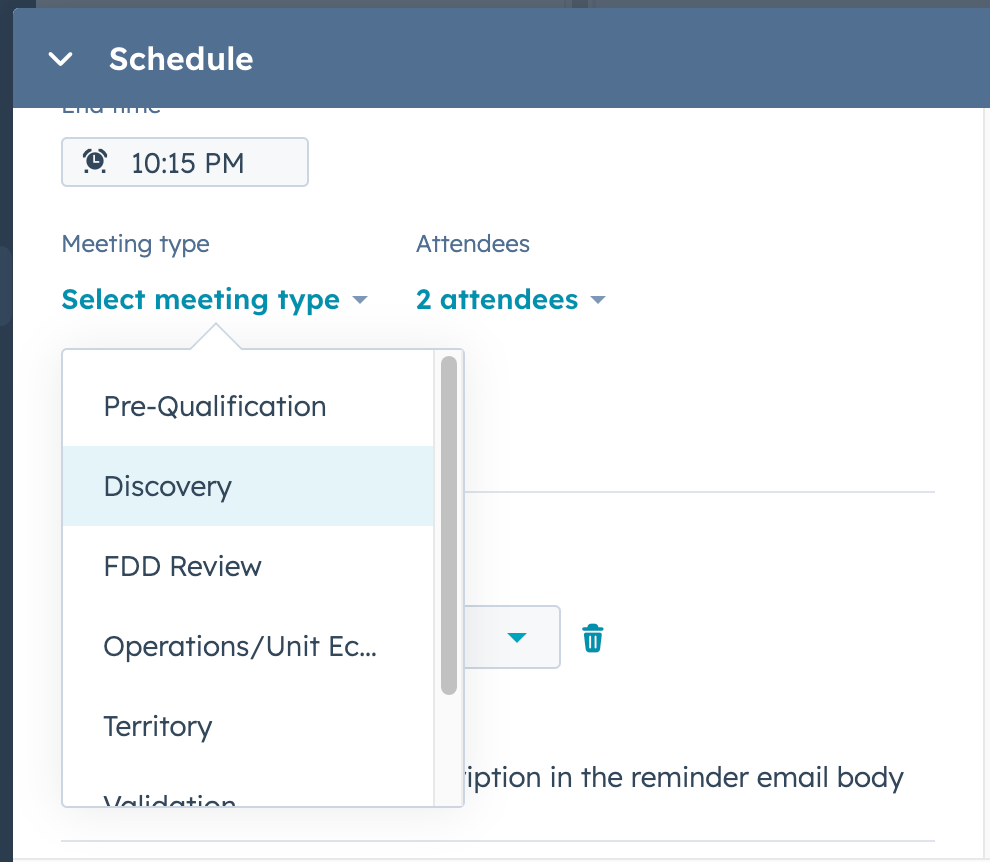
To use Meeting Types and set yourself up for better tracking and automation, you have to set the Meeting Type on your meetings when you create them. All Reps should be doing this.
From the HubSpot record click the
Schedule a meetingbutton.Look for the
Meeting typemenu in the screen that appears.Your freshly set up Meeting Types will appear there. 🙌
Enter the rest of the details and
Savethe meeting.
☎️ If a prospect calls you and the Call is automatically logged HubSpot, you can change the Call Type when the Call is over. This is handy if you’ve been trying to connect with a Prospective Franchisee for your Discovery/Intro call and they call you back out of the blue while you’re driving. 🤦 You know what I mean.
Set Outcomes on Meetings (and Calls) when they happen
Once your Meeting (or Call) happens, make sure you’re setting the Outcome. All Reps should be doing this for their Meetings.
I know this is tedious when you have back to back Meetings with Prospective Zees. The data and power that it gives you is worth the tiny extra bit of effort.
Here’s what that looks like:
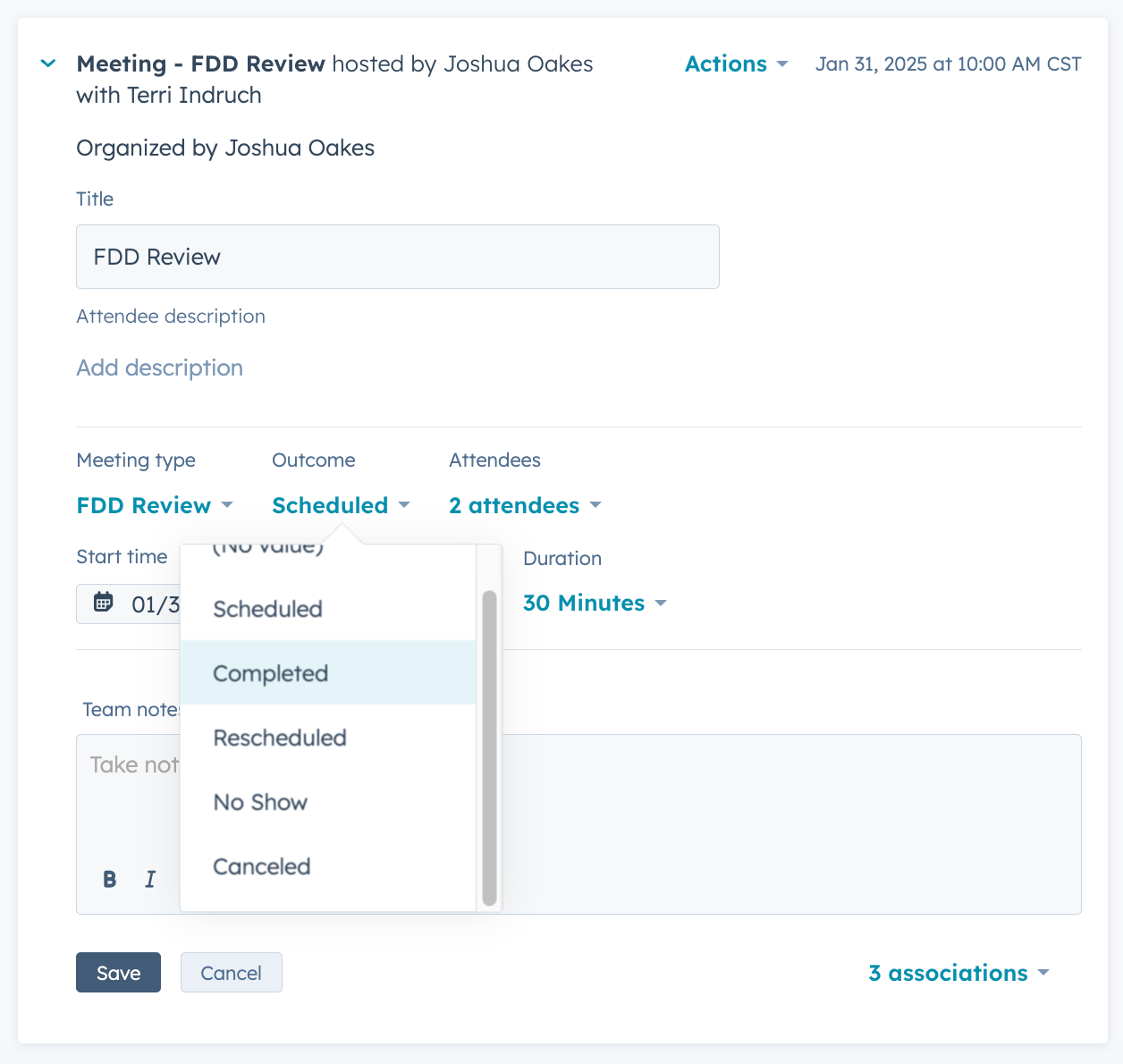
So here’s the complete life of a Meeting
You confirm the day and time of the meeting with the Prospective Zee.
From their record in HubSpot, create the Meeting.
Add the meeting details including the Meeting Type.
Save the Meeting.
When the time comes, join the Meeting. You can do this from your Calendar or from the record in HubSpot.
Add your notes to the Meeting or Playbook (a future Lab Report topic).
Set the Meeting Outcome.
Save the Meeting.
Then, go make the sale!
So…then what?
When you’re collecting this data, there is a lot you can do with it and it’s more than we can get into here, but here are just some of the things you can do:
Use Reports to surface
Meeting Typesfor yourself or Reps.Use Reports to look at
Outcomeslike No Shows over time.Look back at your Outcomes in the previous week.
Automatically enroll a Contact in a re-book Sequence if they No-Show. 😱
See you in the next Lab Report.
Which of these future topics are you most interested in?
Reply and let me know. Frequently requested topics get covered sooner.
How to create Dashboards with
Meeting TypesandMeeting OutcomesCreating Playbooks for Meeting Agenda and Notes
Automatically enrolling No Shows in re-booking Sequences
Create meeting booking forms/links for your
Meeting TypesBuilding a Franchise Application process in HubSpot
Preventing abandoned Deals in HubSpot