


In this Lab Report:
Discovery Calls make or break your Fran Dev Pipeline. A good Playbook makes sure you’re covering all the critical points and collecting useful information for lead scoring, nurturing, and analysis. I’ll walk you through a good starting point for a Franchise Sales Discovery Call Playbook.
Why this matters
Discovery Calls make or break your Fran Dev Pipeline.
Good information about your Prospects is important for winning Deals, but it’s also essential for understanding and improving your sales and marketing performance.
You need to equip Reps with simple tools to conduct great calls and capture all the information that you need to serve that current Prospect. Playbooks serve as an in-meeting agenda and guided notetaker to capture critical information directly on records without a lot of fuss.
Here’s what a Playbook for your Discovery Calls should look like
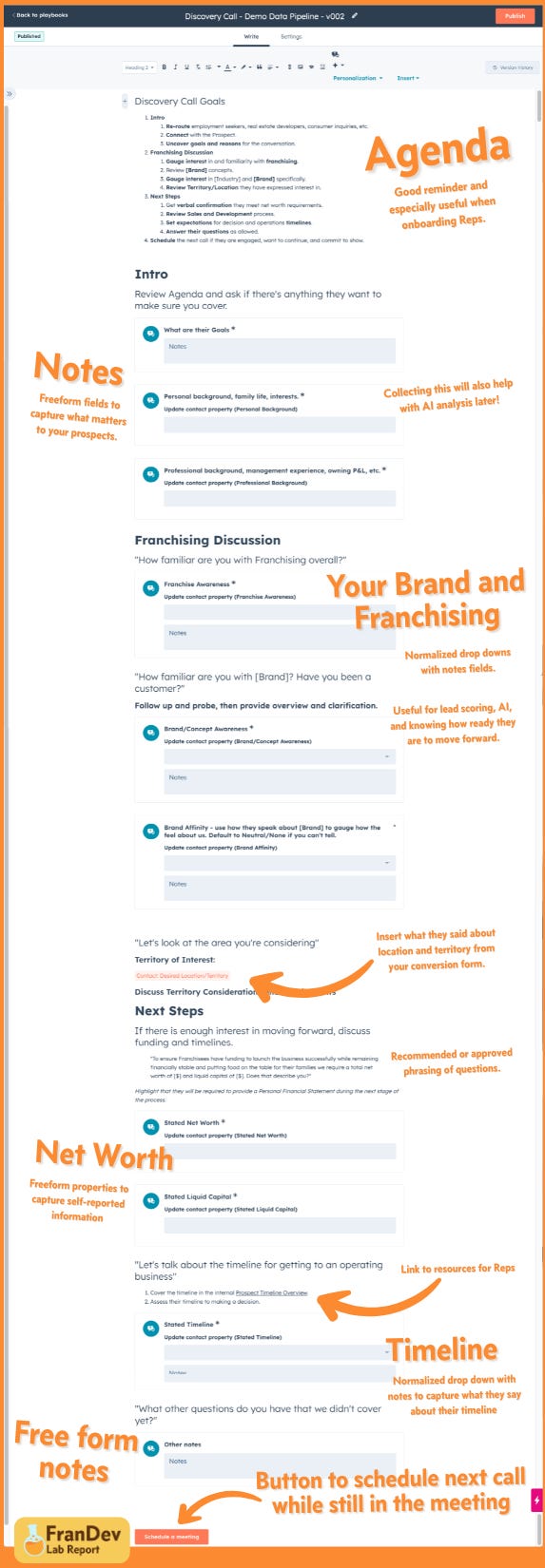
A full annotated screenshot of an example Playbook is included at the end of this email. I’ll walk you though the elements here, but skip to the end if you want to see the whole thing.
Note that the most some of the most incredible features of Playbooks require an Enterprise subscription.
But, here’s a secret tip that we HubSpot Pros know: if you don’t use HubSpot for Help Desk, then buying 1 Service Enterprise Seat (that you don’t need to use) gives you very cheap access to Enterprise features.
Your Discovery Call agenda
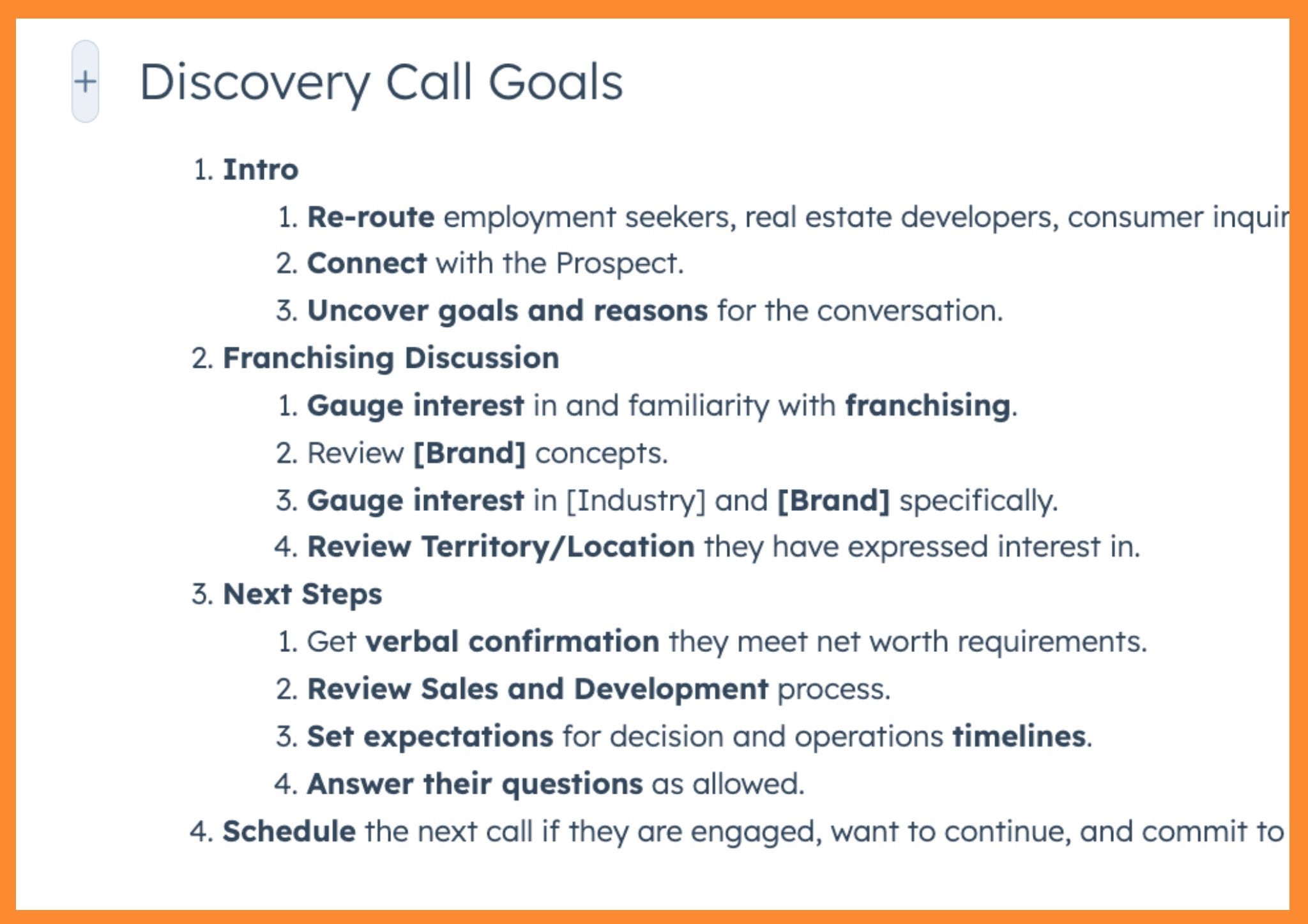
Include your internal agenda items at the top of the Playbook. Every call in your sales process will have a different agenda, so it’s a good idea for each Playbook to reiterate it. It’s particularly useful to new Reps as they’re getting up to speed on your sales process.
Intro/Overview Questions
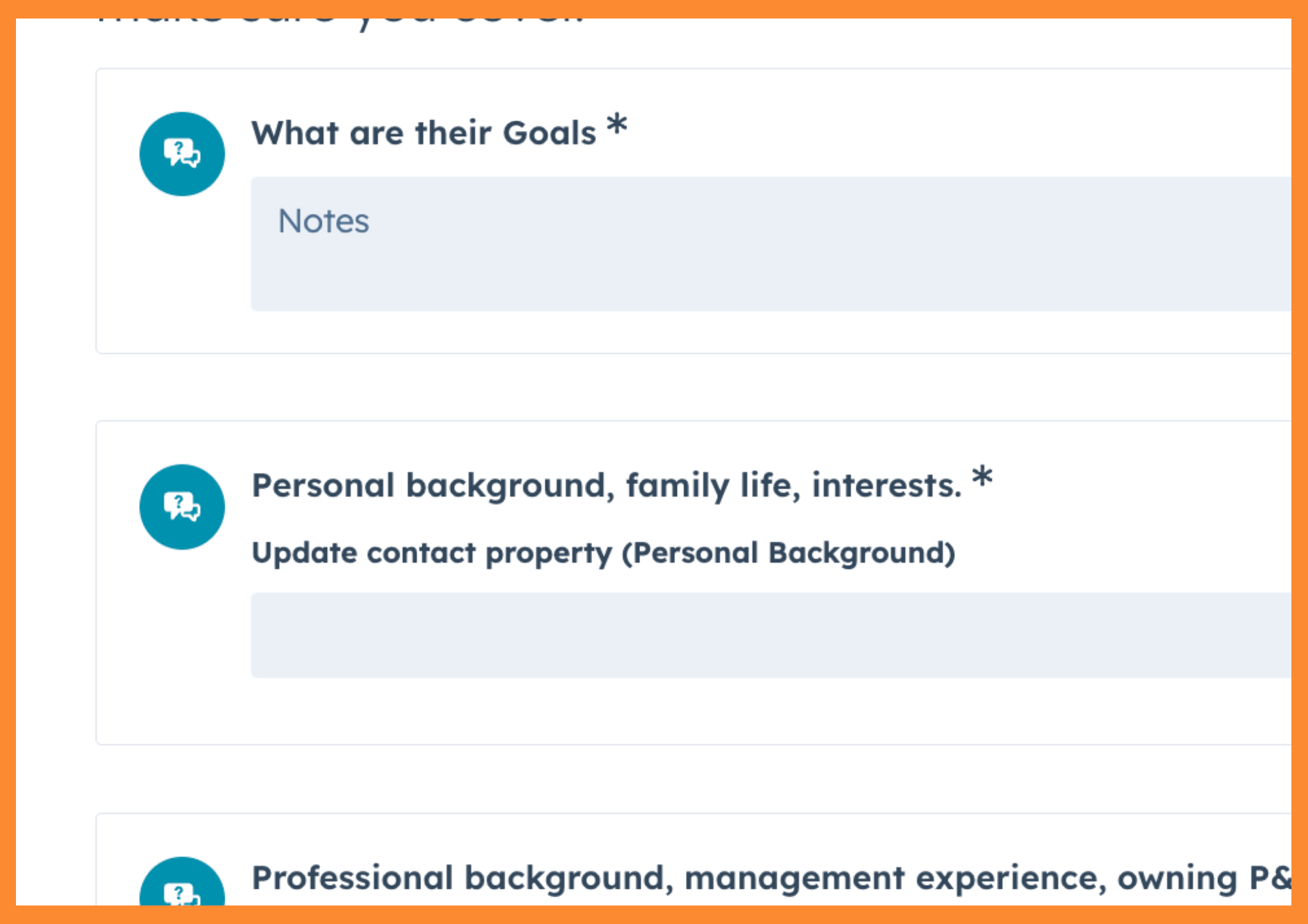
One of your first objectives is always to understand why the Prospect showed up to the call. They connect with the Prospect and try to get at why they scheduled a call, what their goals are, and information about their personal and professional information.
Capture this in Contact Properties for future reminders and analysis.
Recommended items:
Freeform Goals note field
Editable Personal Background Multi-line text Property on the Contact
Editable Professional Background Multi-line text Property on the Contact
Franchising and Your Brand
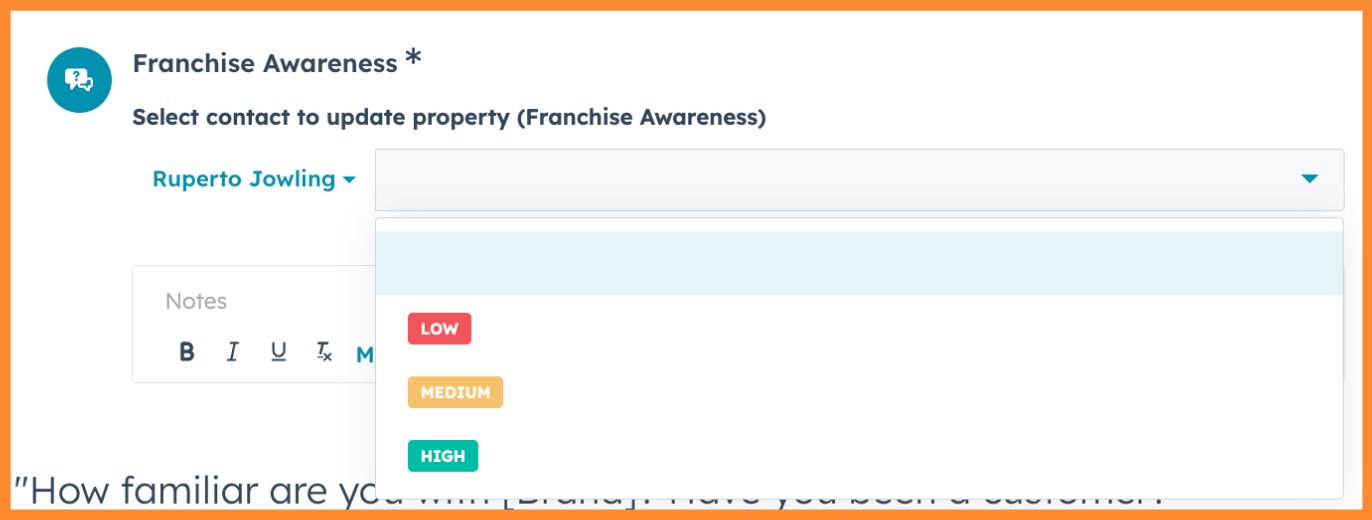
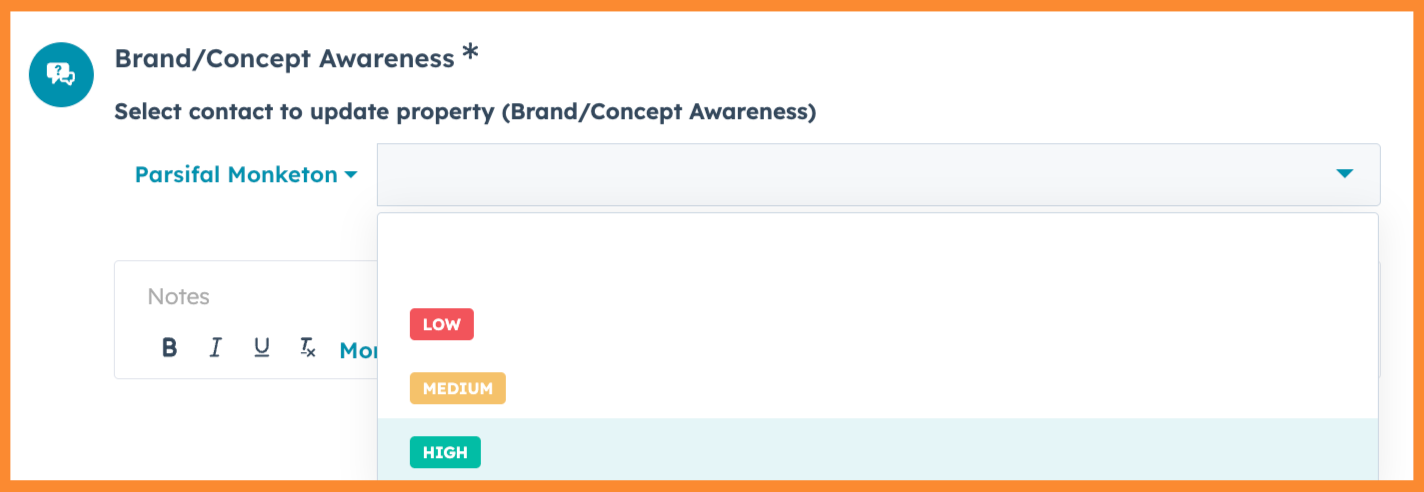
Exploring and capturing their familiarity with Franchising helps figure out how much education is needed during the sales process and their connection with the industry and your brand are critical. You can us this in Lead Scoring, in automations (which emails your send them), in your Closed Lost reviews, and in AI analysis.
This is useful for Lead Scoring and prioritization as well as gauging whether a Prospect is conducting serious research.
Recommended Items
Editable Franchise Awareness Drop down Contact Property with a note field for context
Editable Brand/Concept Awareness Drop down Contact Property with a note field for context
Editable Brand Affinity Drop down Contact Property with a note field for context
Location or Territory Discussion

Reviewing the general or specific locations they’re interested in is an important part of the call. If you conversion form has a field for the Prospect to describe their desired location, you can display that for the Rep so they have context for the conversation.
If you have sophisticated properties for normalizing states, markets, or other dimensions you can include editable properties for the Rep to set too.
I often recommend leveling up with properties to capture whether the Prospect is open to Resale, other territories than the specific ones they have identified.
Collecting this data us very useful for nurturing Prospects with initial interest in saturated, unavailable, or non-operating markets. It also allows you to filter Deals by State.
Recommended Items
Embedded Token that displays for the Rep how the Prospect described the location they’re interested in on your conversion form
Optional/Extra: Editable Will Consider Other Territories checkbox Property
Optional/Extra: Editable Will Transfers checkbox Property
Optional/Extra: Markets of Interest Drop down Deal Property (using your Franchise’s model for states, DMAs, etc.) with a note field for context
Capital Requirements
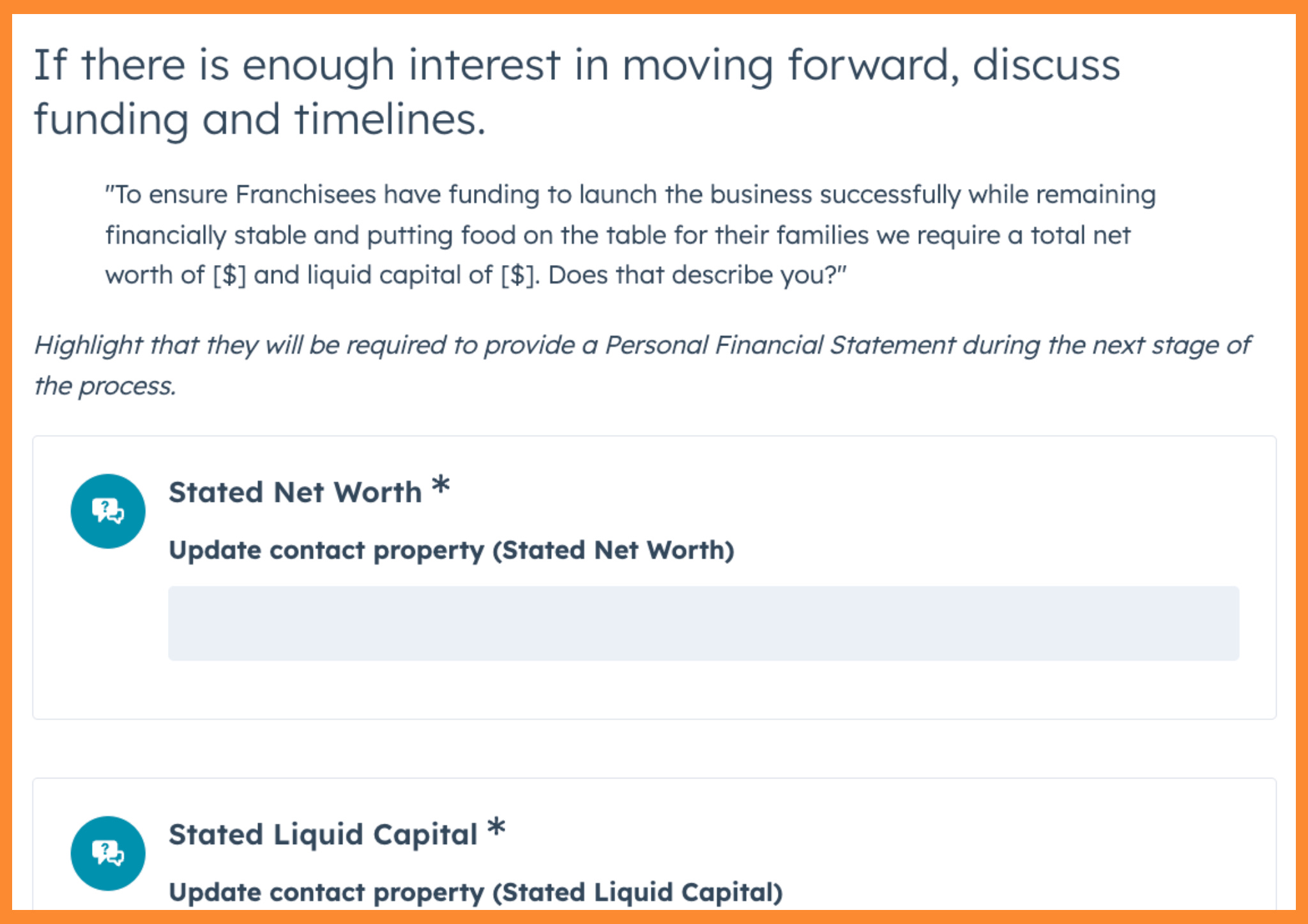
Net Worth and Liquid capital are essential of course. Most Franchises collect a PFS and confirm Net Worth later in the process, but an initial qualification here is important. This is a section of Playbook where including suggested or approved language for the Rep is helpful.
This is useful for Lead Scoring and prioritization as well as nurturing leads who are “almost ready”.
Recommended Items
Suggested or approved language for the discussion
Editable Stated Net Worth Single-line text Contact Property
Editable Stated Liquid Capital Single-line text Contact Property
Timeline
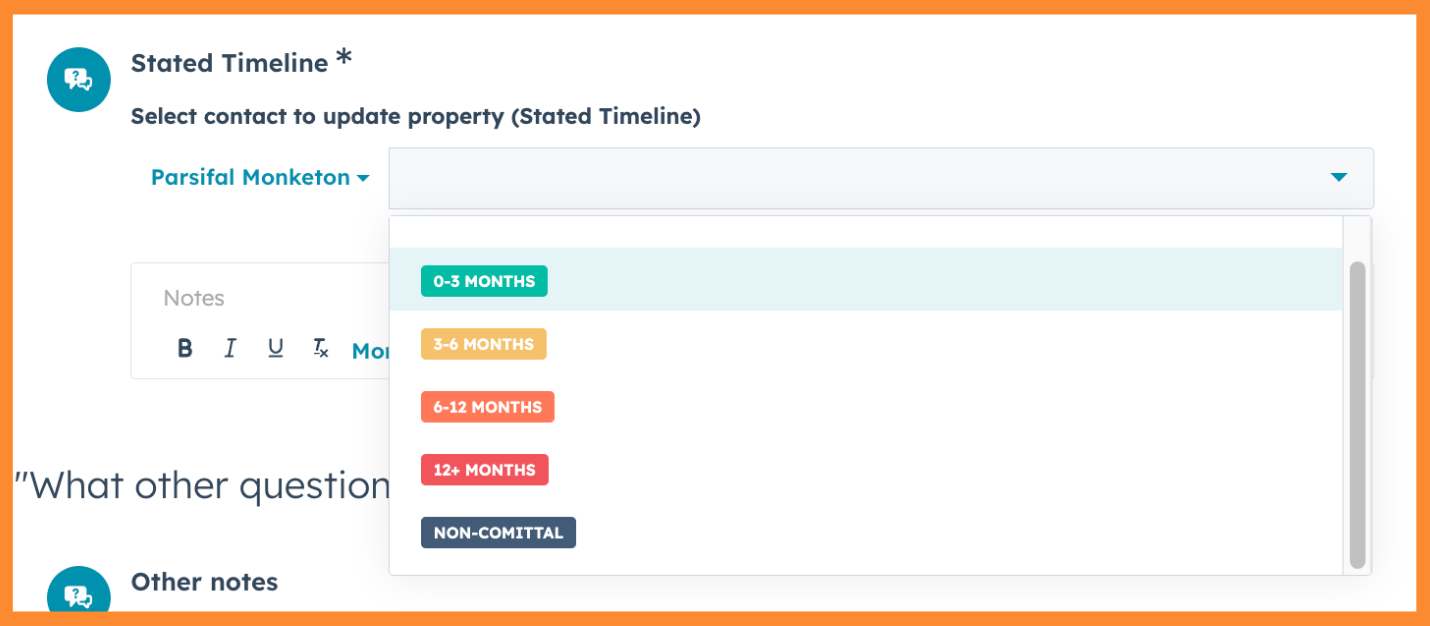
Timeline is of course another critical agenda item. Franchises often discuss this to try and set expectations, but often fail to capture it in a usable way.
This is also useful for Lead Scoring and prioritization as well as nurturing leads who are “almost ready”.
Recommended Items
Editable Stated Timeline Drop down Contact Property with a note field for context
Optional/Extra: a Projected Timeline Drop down Deal Property
Scheduling the Next Call
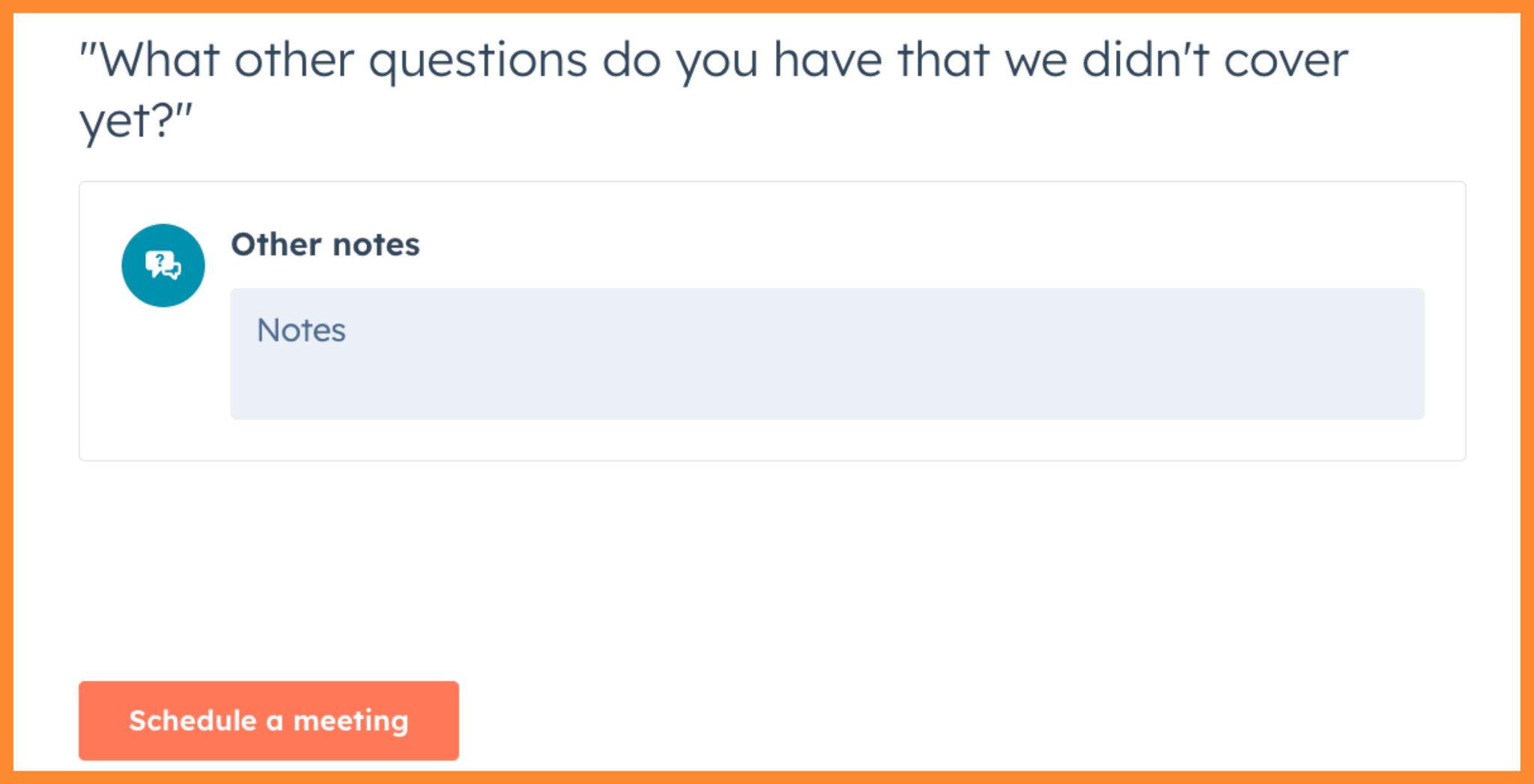
For qualified Prospects, the next action is to set up your next call. This can be done directly in Playbook with a Schedule a meeting action button.
Recommended Items
A freeform Other notes field
Schedule a meeting button.
Here’s the full, annoyed Playbook for you to look at
So…now what?
Talk to your Reps about what works for them on their Discovery Calls.
Create the properties you need to capture better data.
Take a shot at creating a Playbook for your Discover Calls.
Set up the Recommended Enablement settings so the Reps are be prompted with the playbook when a Deal is in the Discovery stage of your pipeline.
See you in the next Lab Report.