


In this Lab Report:
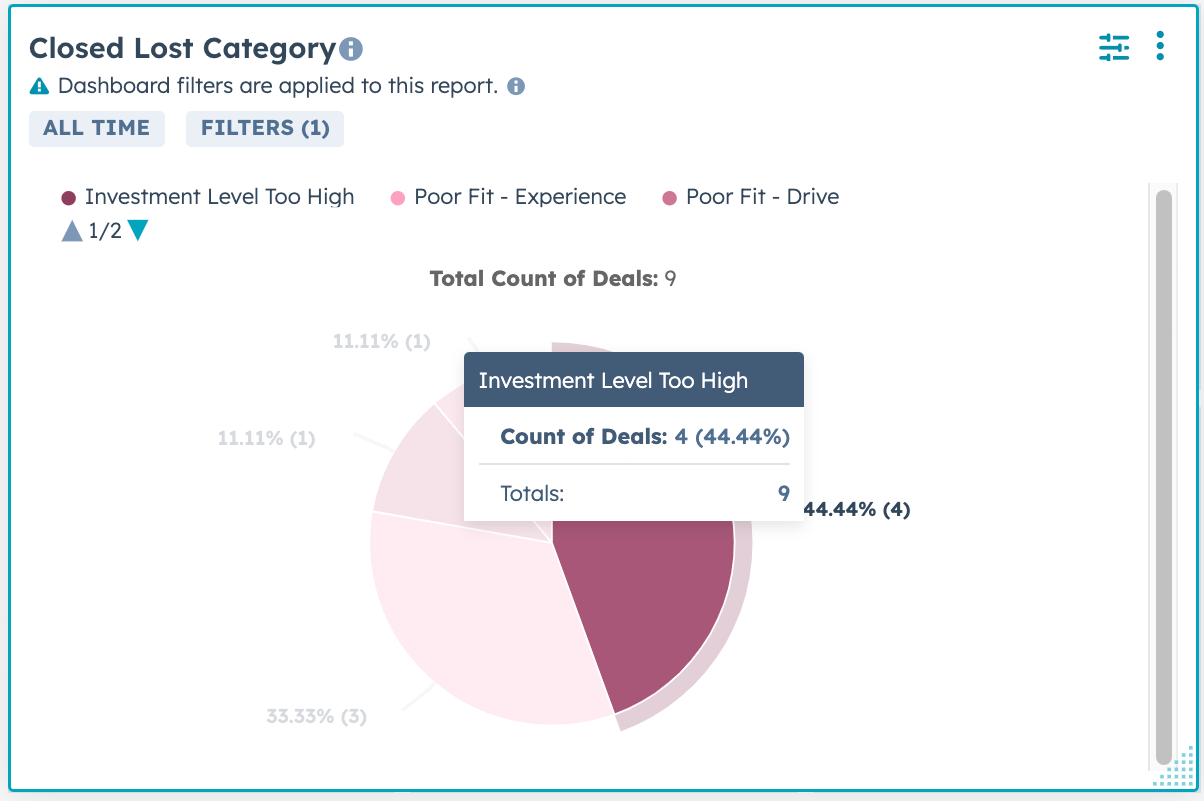
To close more new Franchisees you need look at what’s working and what isn’t with your existing leads. You need good data that you can report on. This is where lot’s of Franchisors fall down. Add a Closed Lost Category drop down property and use the existing Closed Lost Reason for details so you can figure out what’s going on with your lost leads and fix it.
👉 Reply to this message and I’ll send you the default list of Categories I recommend and you can implement this in your HubSpot portal.
Why this matters
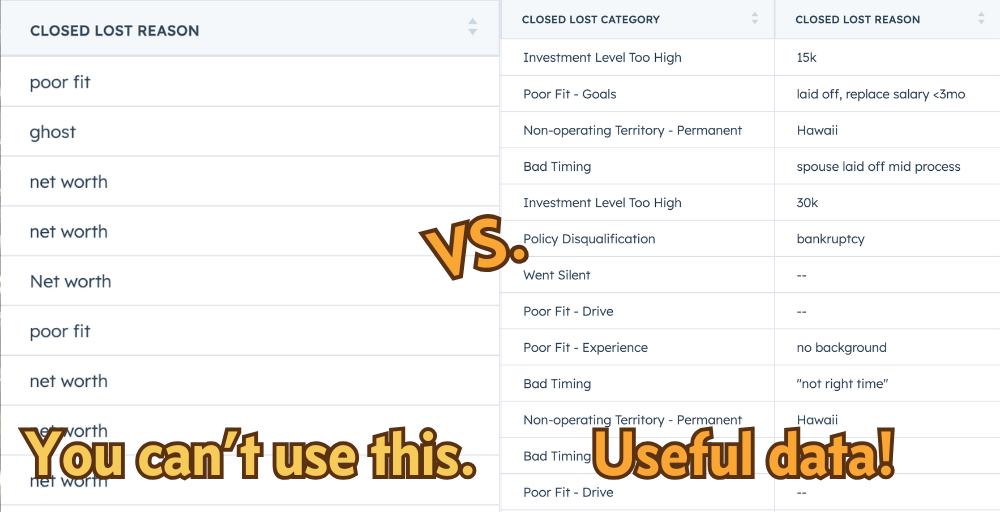
You’re paying good money and working hard for new FranDev leads. You can’t win every one of them, but you have to pay attention to why you’re losing the one’s you lose if you want to plug the gaps and get better at winning more.
You know some of the reasons that your prospective Franchisees are lost:
They don’t meet financial requirements (net worth, working capital, etc.)
They decide franchising (or your franchise) is too expensive
Their preferred territory or location isn’t available
They tell you it’s not a good time 🤔
They get cold feet
They just ghost you
Those reasons aren’t wrong, but there are 2 problems:
You can’t learn how to get better with those reasons
They’re more like excuses than reasons
You need to learn from your Closed Lost Deals and you need to collect the data that is critical and unique to your franchise to do this.
Why are you losing Broker Deals? Shouldn’t those be pretty well qualified? Do you need to communicate what you’re looking for better?
You shouldn’t be losing a lot of deals to Net Worth misses. If leads are way off on Net Worth or Capital they shouldn’t be making it to lead status.
Bad fits should be found early. If you have well-defined criteria for good fit leads (you do, right?) you should be able to see who doesn’t fit them and how early you identify that.
Where are all your “no territory” losses coming from? Are you getting leads in places you shouldn’t? Are your ads running in places they shouldn’t? Is it a territory availability a problem or is it a sales problem?
People ghost for a reason. If you’re losing a lot of deals to ghosting, you have a gap somewhere else that’s causing it.
All of these are things you can fix with changes in your sales and marketing.
👉 Unless you don’t know it. 👈
Which is why we’re here today.
There’s a lot more you can learn from Closed Lost deals that we’ll cover in future Lab Reports like looking at time to first contact (or speed to lead), how long Deals stay open (Days to Close), lead scoring, etc.
Here’s how you do this in HubSpot:
Create the
Closed Lost Categoryproperty on your Deals.Make
Closed Lost Categoryand the built inClosed Lost Reasonrequired for a Deal to go toClosed Lost.Create
Closed Lost Categoryreports.Review them regularly and see what’s going on.
Let’s take it step by step.
First create the Closed Lost Category property on your Deals
Go to Settings → Properties, choose Deal properties, click Create property.
You want a Dropdown select. Normalizing the Category with this property makes it possible to report on the values reliably.
Add the categories that you are most interested in reporting on and save the property.
👉 Reply to this message and I’ll send you the default list of Categories I recommend. Then you can edit to suit your situation.
Then make Closed Lost Category and the built in Closed Lost Reason required
Ensure you’re collecting this data when deals are Closed Lost by requiring it when deals close. You’ll do this by adding Conditional Stage Properties to the Closed Lost Stage of your pipeline.
Make
Closed Lost Categoryrequired.Closed Lost Reasoncan be optional or required, depending on what you expect to collect from Reps.
What this looks like for Reps
When they move a Deal to Closed Lost, they’re prompted to enter the Closed Lost Category and Closed Lost Reason.
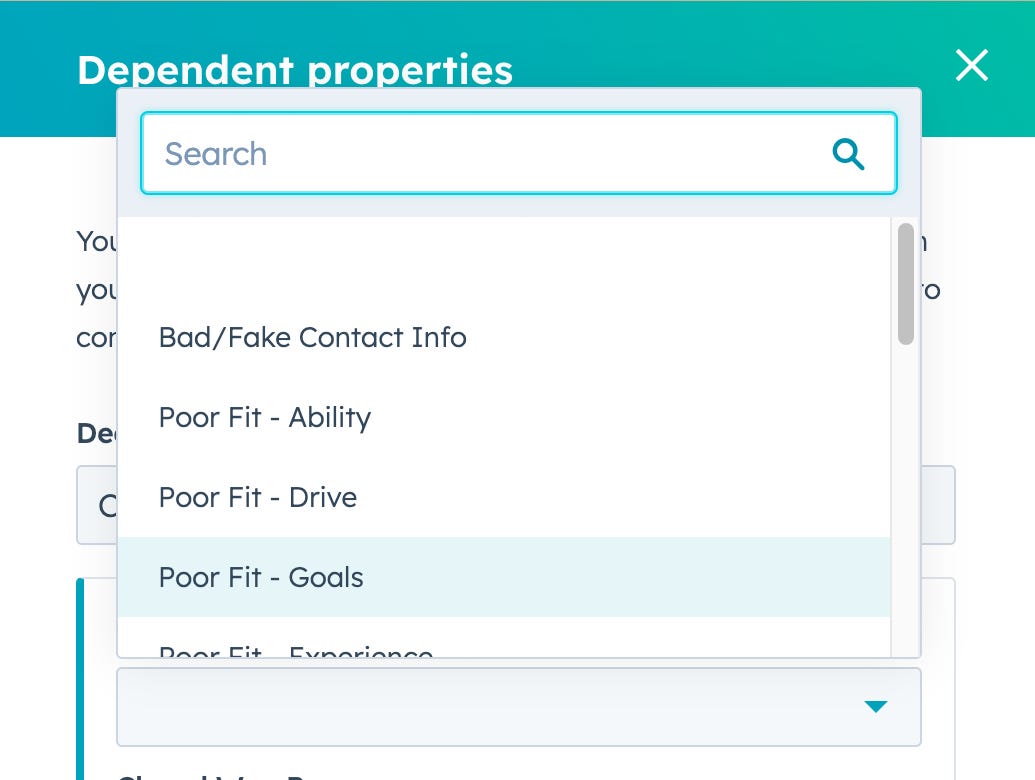
Make sure your FranDev Reps know what all the Closed Lost Categories mean and what kind of information you expect in the Closed Lost Reason, where they’ll enter specific detail.
Create Closed Lost Category reports and look at your data
There are many ways to slice this data, but here are the 2 reports you should start with—they’re the ones most Franchisors ask for when we first start collecting this data:
Closed Lost Category pie chart
Closed Lost Category table
They look like this:
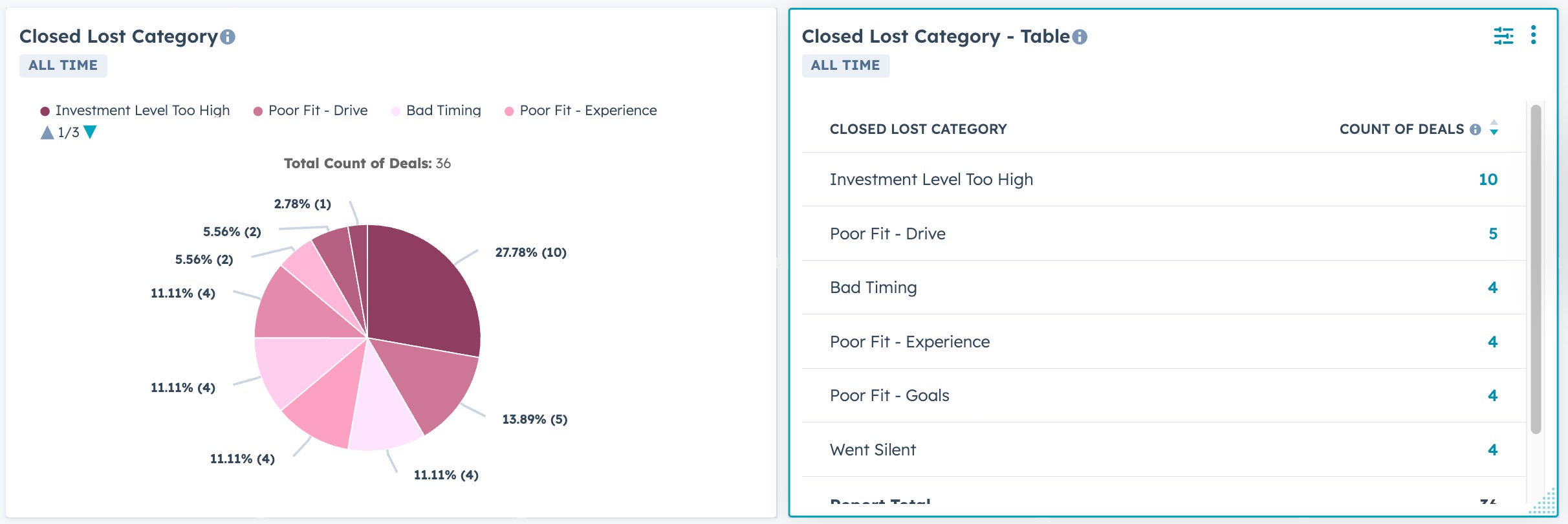
Here’s the configuration of the Pie Chart.
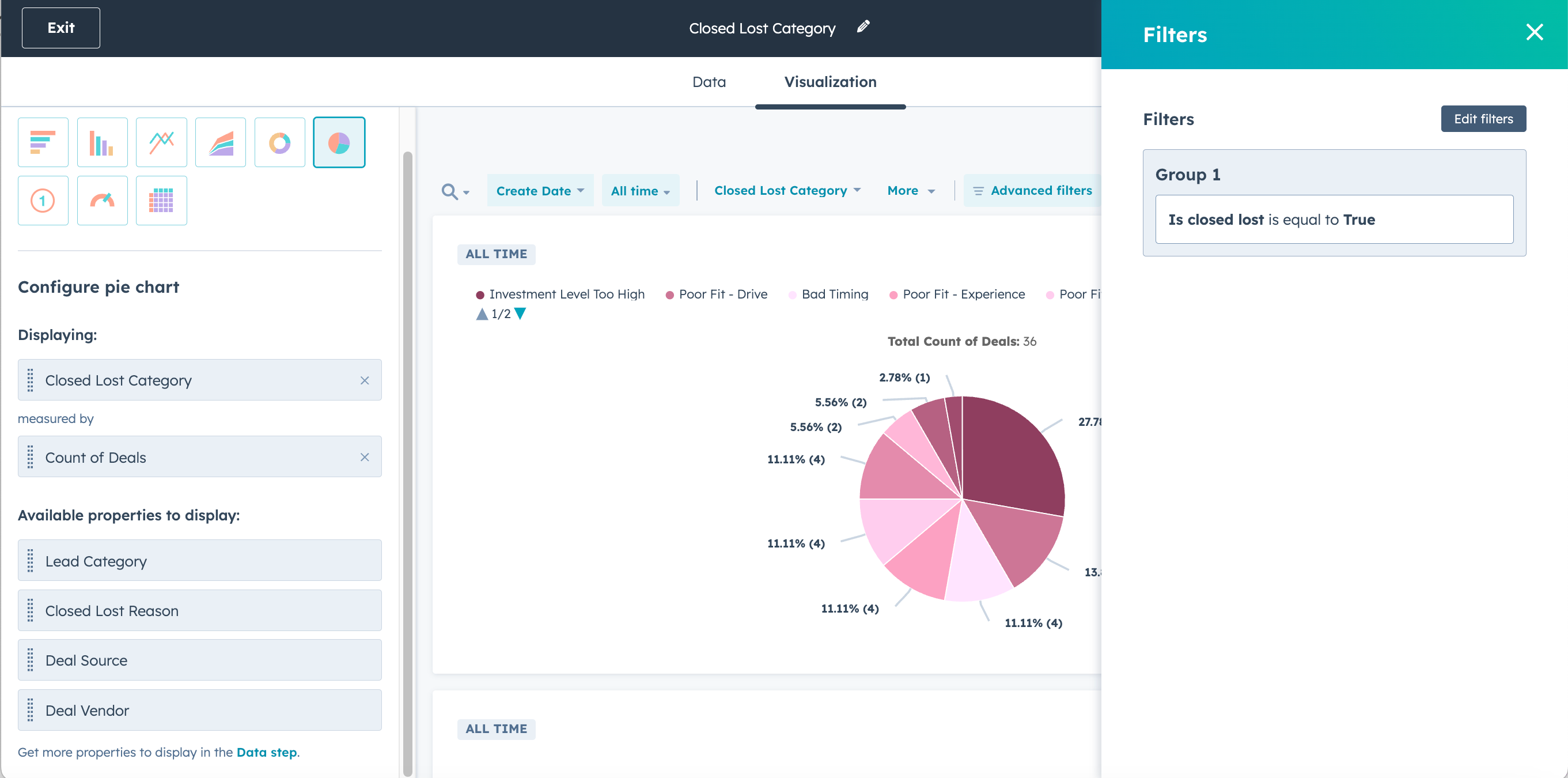
The table is the same thing, but change the visualization to Table. Happy analyzing!
🤔 Wondering what that Lead Category property is? Or Deal Source and Deal Vendor? Reply and we can chat, but we’ll cover it in a future Lab Report eventually.
So…now what?
Want to see how bad (and probably useless) your Closed Lost Deal data is right now?
In HubSpot, go to
DealsChoose your Franchise Sales pipeline (if you have more than 1 pipeline)
Change it to the list view.
Open the
Advanced filtersAdd
Is Closed Lost= True.Edit columnsand addClosed Lost Reason.Remove everything else except
Close Date.Applythe columns changes.Sort the Deals by Close Date descending so your newest ones are at the top.
Ask yourself “Is this in any way helpful?”
See you in the next Lab Report.
Which of these future topics are you most interested in?
Reply and let me know. Frequently requested topics get covered sooner.
Creating Dashboards for Reps and for 1:1 meetings.
Creating Playbooks for Meeting Agenda and Notes
Automatically enrolling No Shows in re-booking Sequences
Create meeting booking forms/links for your Meeting Types
Building a Franchise Application process in HubSpot
Preventing abandoned Deals in HubSpot