


In this Lab Report:
Franchise Brokers are an important part of your franchise growth; you don’t need me to tell you that. You may need me to tell you is that HubSpot should be helping develop, nurture, and maintain your relationships with Brokers.
Why This Matters
It’s easy to get so heads down working Deals and developing your sales process. You need to set yourself up for success and run a good system—just like your Franchise does—to be effective and that includes your Broker relationships.
You should be using HubSpot to do things like:
Keep track of the Brokers you have relationships with
Stay top and mind with Brokers and keep them informed about your Franchise
See which Brokers are bringing you the best leads
See which Brokers have contributed the most FA Revenue and Territories sold
Keep Brokers up to date on the status of their Leads (the next FranDev Lab Report video playbook…)
And a lot more
And when I say you should being using HubSpot for this, what I mean is:
👉 HubSpot should be set up to do a lot of this for you.
So we’re going to talk about the 5 Keys you need to unlock those capabilities and scale your Broker relationships in HubSpot and how, in brief, to set them up:
Manage Broker Contacts and Companies in HubSpot
Maintain the connections between records (simply)
Send a newsletter to your Brokers
Associate Brokers with the Deals they bring
Attribute and Tag Deals that Brokers bring
With those 5 Keys in place, you’ll unlocked the basic functionality you need to scale your Broker relationships in HubSpot and ad more sophisticated capabilities and reporting over time.
Implementing the 5 Keys
Let’s step through them.
Key 1: Manage Broker Contacts and Companies in HubSpot
To scale your Broker relationships, you need to have the records in HubSpot to work with. This is easy to overlook. You’re working leads and want to report on new Franchisees so obviously you have Contacts and Deals for those. But you need Contacts for the individual Brokers you work with and Company records for all the Broker Companies and Networks.
Create Company records for all Broker Companies and Networks you work with.
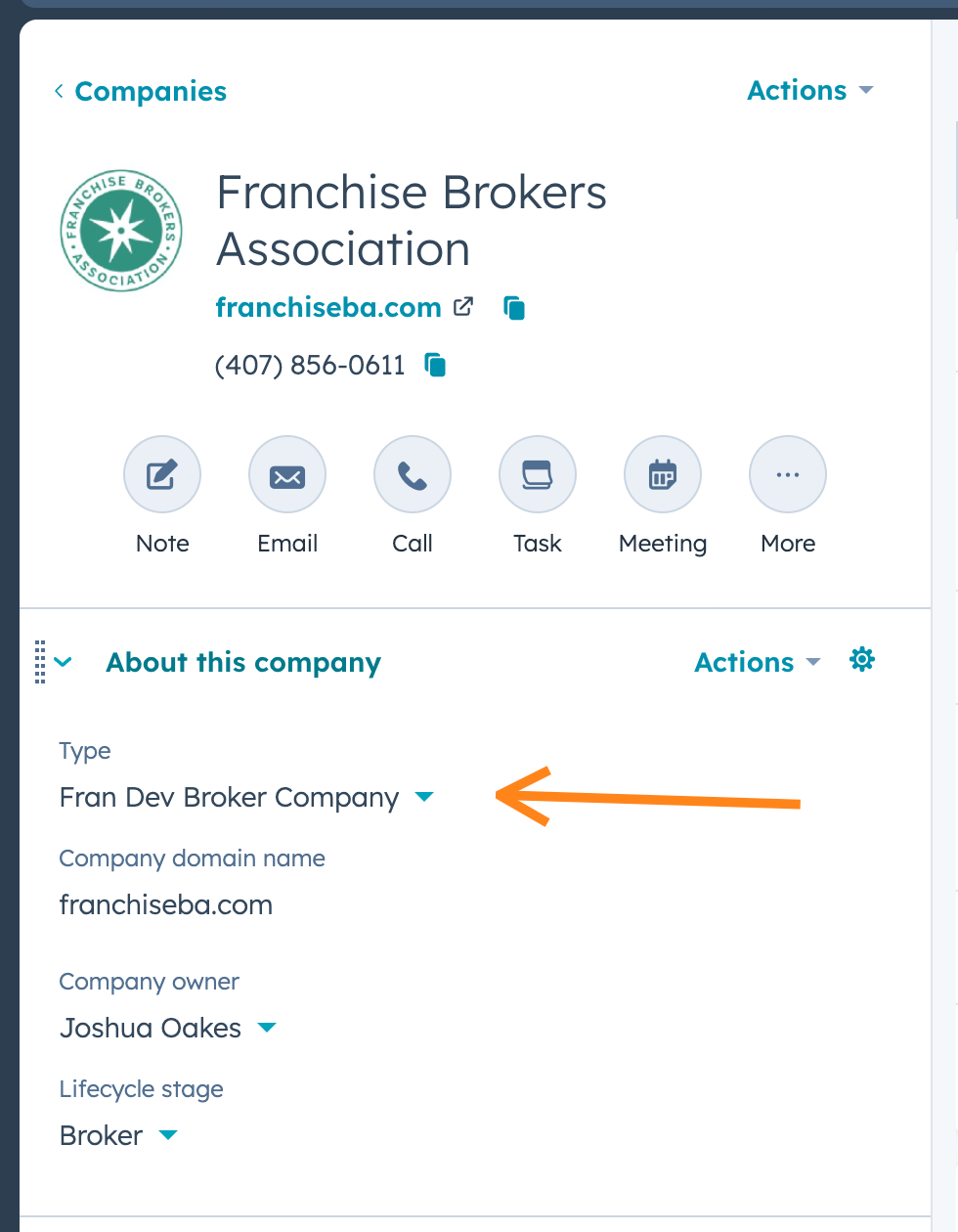
Add a Fran Dev Broker Company value to the build in
Typeproperty onCompaniesand set it. This makes filtering easier.Create Contact records for all the individual Brokers you are working with right now.
Modify your process so that when Broker Leads come, you check that a Company and Broker Contact record exist for them.
Create records for Brokers you worked with in past that aren’t in HubSpot. Focus on the most important ones: Brokers who brought you leads that you won.
Key 2: Maintain the connections between records (simply)
There are 2 main things you need to think about here:
Record Owners
Use an Association Label 👈 you’ll thank me later, this enables some amazing things
Record Owners
Brokers tend to work with the same Rep over and over. So set the Owner of the Broker’s Contact Record to the Rep that they work with. This enables you to do things like send:
Send automated emails and SMSs from the Rep
Build lists and views where the Rep can easily see the Brokers they work with
Reassign Brokers when a Rep leaves
So update your processes or policies to ensure Broker contacts get the right Owner.
The Broker Company records should be owned by whoever maintains the high level relationship (probably the VP).
Association Labels
Create two Association Labels for Brokers:
FranDev Broker on Companies to Contacts. This is to indicate that the Contact you connect to the Broker Company is a Broker and not, for example, an Executive.
FranDev Broker on Deals to Contacts. This is how, as I will show you below, you will indicate who the Broker on a Deal is. This unlocks some really powerful stuff.
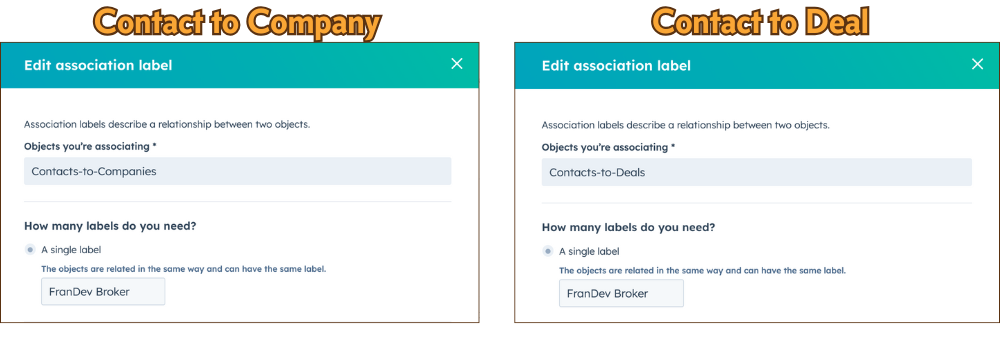
Always apply these Association Labels between the Brokers and the Company they are with and Deals they bring.
Key 3: Send a newsletter to your Brokers
You want to be top of mind with Brokers and keep them up to date on news and developments with your Franchise. This is an easy way to do it.
Create a
Subscription Typein HubSpot for Broker News.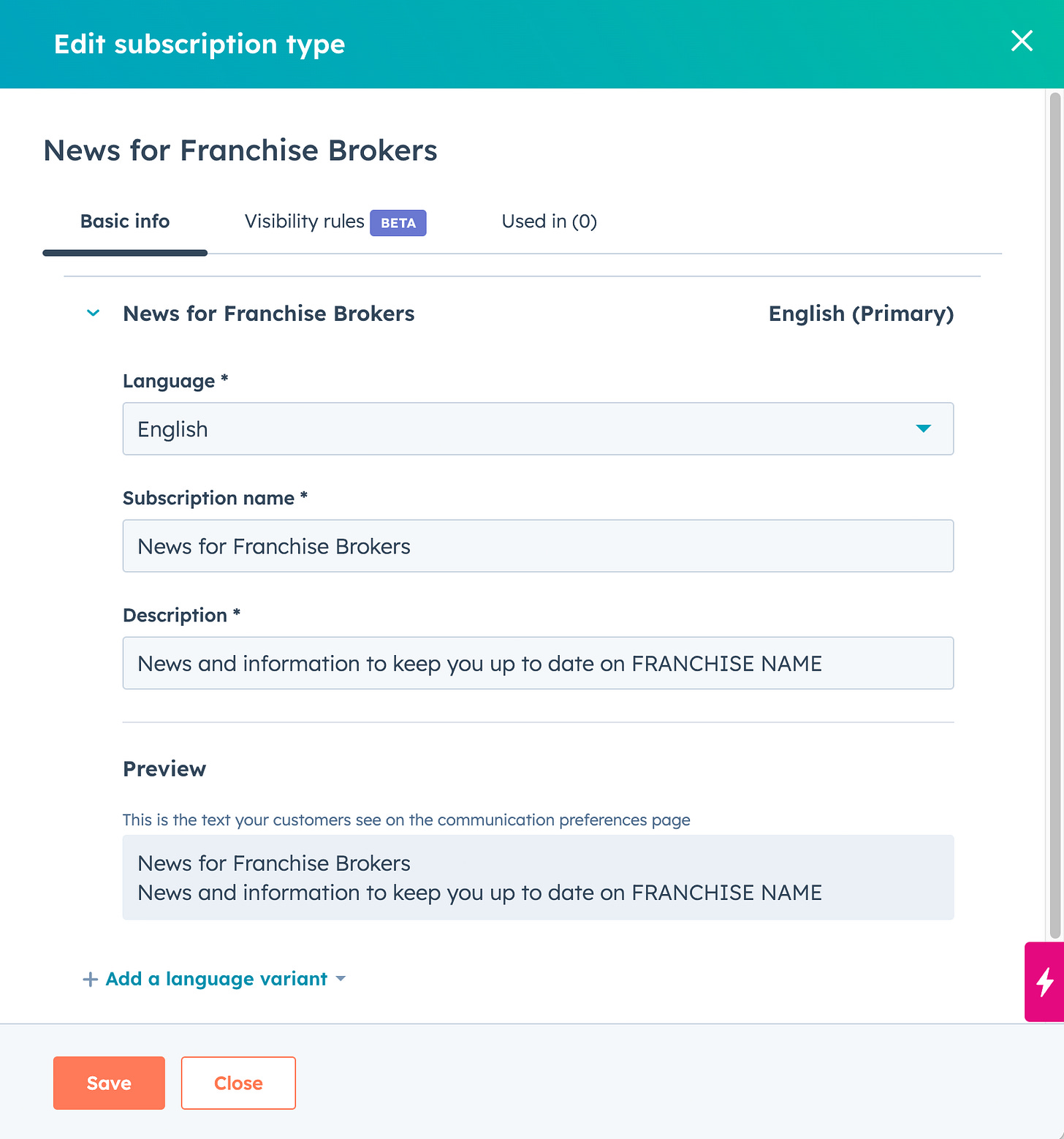
This helps you send the right emails to the right people. Subscribe Brokers to it as you create their Contacts.
You may need to get some kind opt-in, you’ll need to sort that out yourself. It depends on your situation.
Work with marketing to get a regular update going out. Start simple with a quarterly update.
Here are some ideas:
Tell stories of successful Franchisees (especially if you can praise the Broker who brought them to you)
Bring attention to the markets you’re looking to grow in
Highlight new FranDev content that marketing produced
Highlight recently sold territories
Reinforce the unique qualities you’re looking for in Leads
Reinforce your brand story and values
Key 4: Associate Brokers with the Deals they bring
I mentioned this above but when you crate a Deal for a Lead that a Broker brings to your Franchise, associate the Broker’s Contact using the FranDev Broker Association Label.
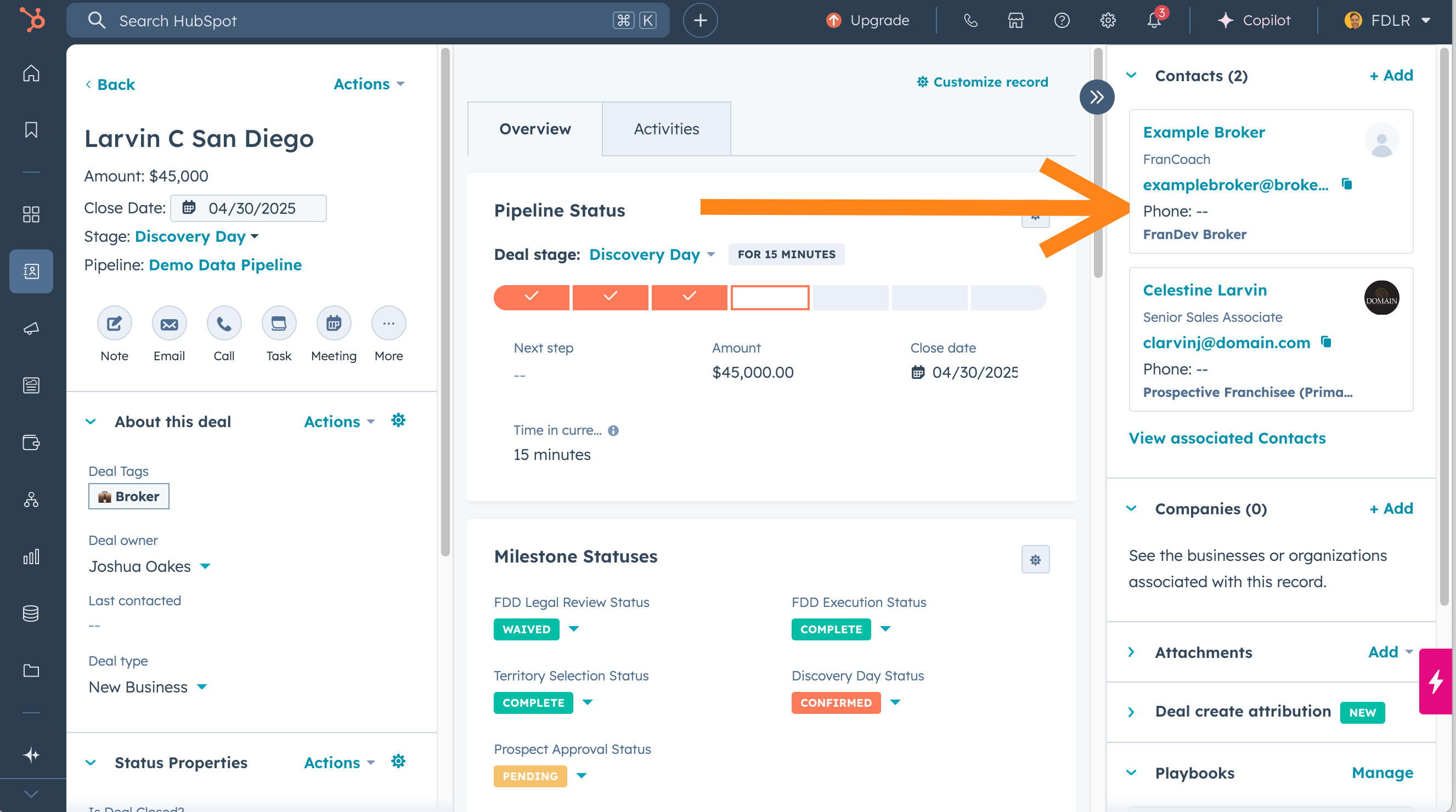
This tells HubSpot what the relationship between the Deal and Broker is. It may seem unnecessary at first but its this association label that allows you to:
Automate status updates to the Broker as the Deal advances (the subject of the Video Playbook coming soon).
See the performance of all that Broker’s Leads on their Contact record (there’s a FranDev Lab Report about this coming soon, too!).
See the total revenue and sold territories the Broker’s Leads have created.
And a lot more.
Key 5: Attribute and Tag Deals that Brokers bring
Changes are you’re already setting some kind of source property on your Deals that indicate they are sourced from Brokers. That’s pretty easy.
Attribution
The best way to do it is with a Dropdown select property that aligns with how you want to report Deal source. Here is the one I build for clients:
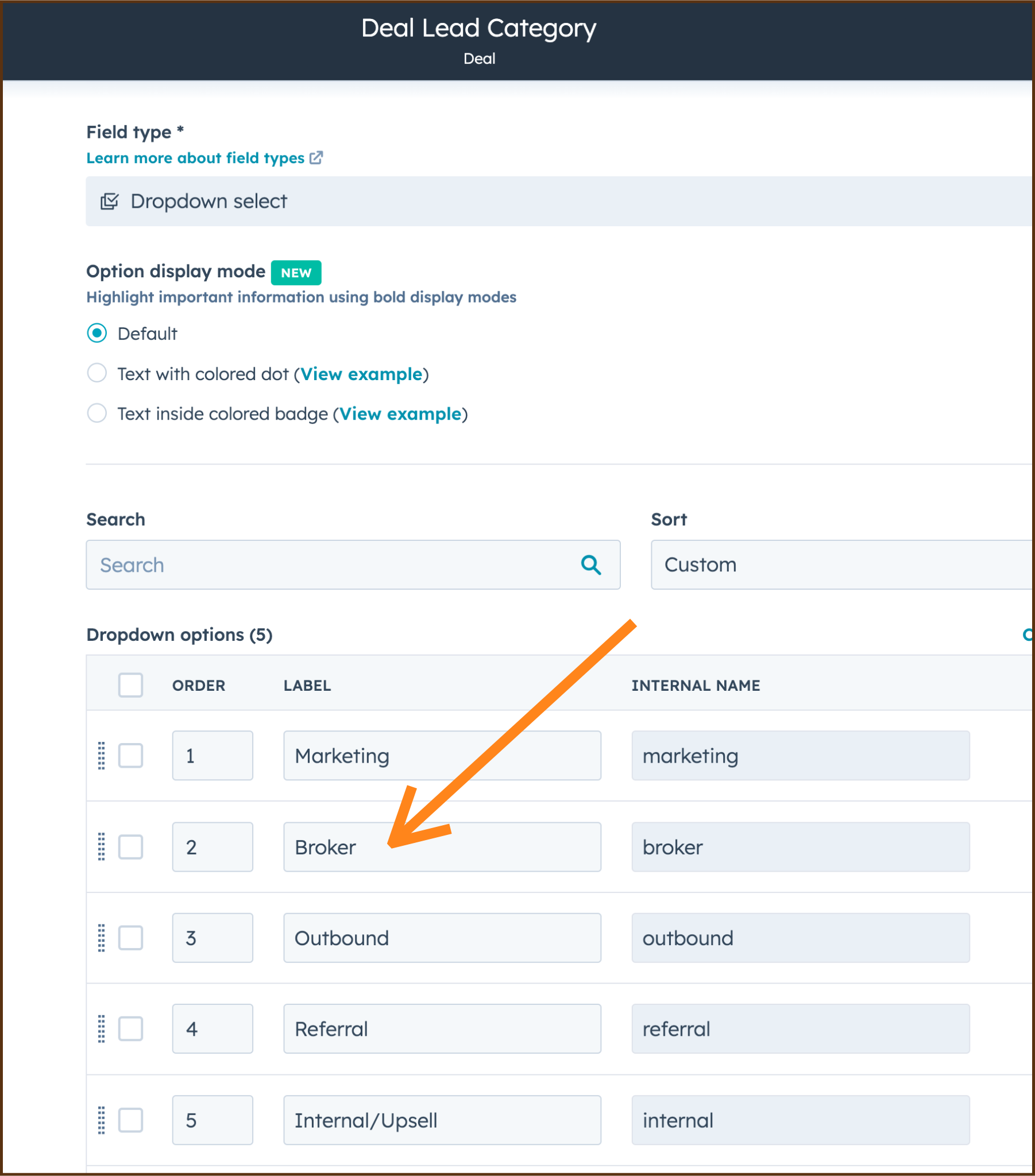
You should track things like campaign values and digital sources (Google Ads, etc.) on additional properties. Don’t dump all the dimensions into a single property.
Deal Tag
Adding a Deal Tag makes it easy to visually identify Broker Deals in the pipeline. And when you use Deal Tags for all your critical dimensions it makes it a lot easier for reps to filter using just one property. Compare these two filters, which both produce the same results:
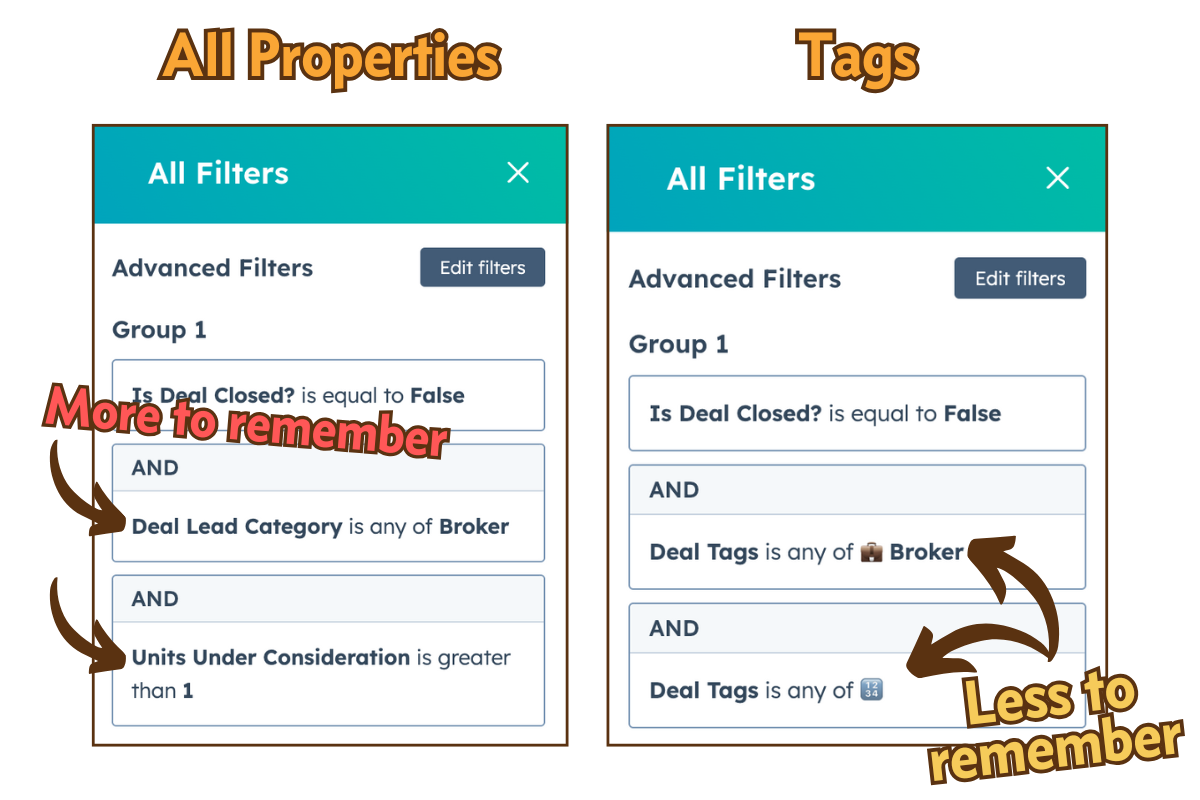
Here’s the Deal Tag config I use with clients. Pretty simple:
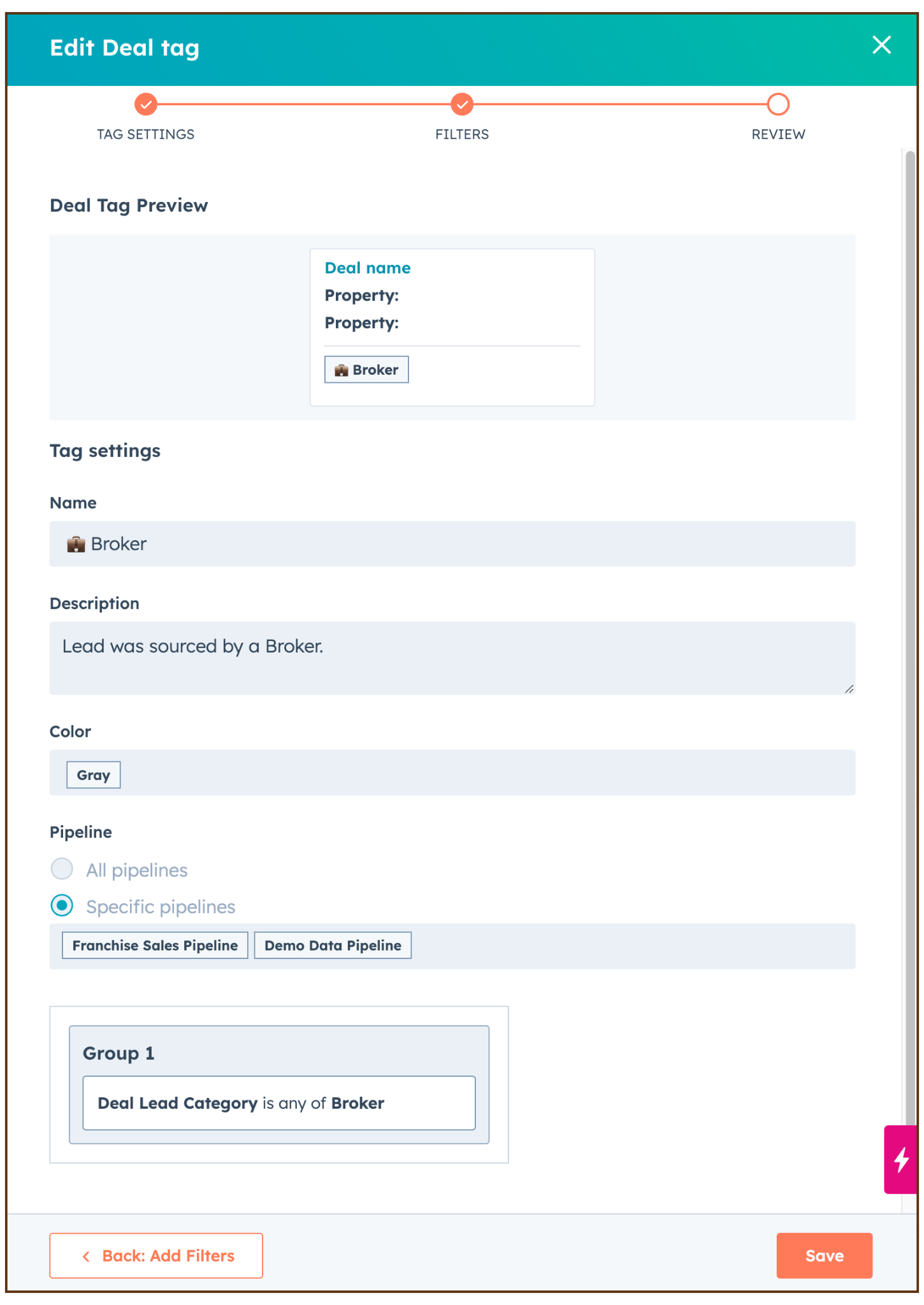
So…now what?
How many of these keys have you implemented in HubSpot? What would it take for you to get the rest in place so you’re set up to better scale your Broker relationships?
As always, if you want to do this bigger, faster, stronger I’m happy to help.
See you in the next Lab Report.
This month a paid tier will be added to the FranDev Lab Report. It will include the additional content like the monthly Video Playbook, posts for Franchise Executives, and other tools and templates. I hope you’ll consider subscribing!