


In this Lab Report:
Did that lead “ghost” you? Or did you not follow up for 3 weeks and lose their confidence? Reps are working a lot of Deals so it ends up at the bottom of pile and months later it gets closed as “ghosted”. It’s disappointing if it happens once. If a FranDev Rep is working a couple dozen Deals at time, it’s going to be a problem. So let’s give you some simple tools.
Why this matters
Time kills deals and you lose 100% of the prospective Franchisees that you stop chasing.
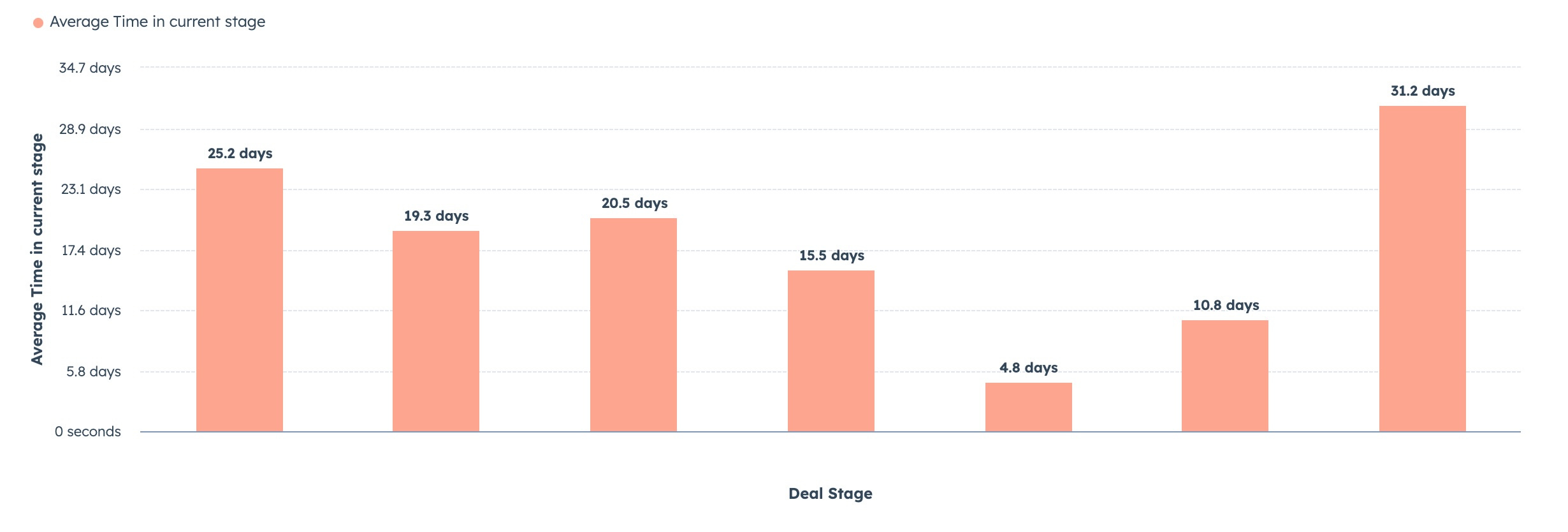
When I first get access to a HubSpot portal, I often find franchise sales pipelines with hundreds of Deals that got to late stages—even all the way to Discovery Day—and then got ignored.
No Rep wants to lose track of a Deal, but it happens. If HubSpot isn’t working for your Franchise Sales and Development team to make is easier to stay on top of things, then it is working against them. There’s no reason for it.
Its pretty easy to make HubSpot work for your Reps:
Make Aging Deals easy to spot
Create a place to find them
Notify Reps when it happens
There are lots of opportunities to automate common gaps where leads get lost and we’ll talk about those more in future Lab Report
Keep an eye out for March's Video Playbook: Close Date: It Matters Even Before the Close. Its a comprehensive deep dive about Close Date and how to manage it effectively so you’re staying on top of Deals and your reporting and projections are useful.
Starting in April, there will be a paid tier of the FranDev Lab Report available that includes additional content like Video Playbooks, content specifically for leadership, templates, and other tools.
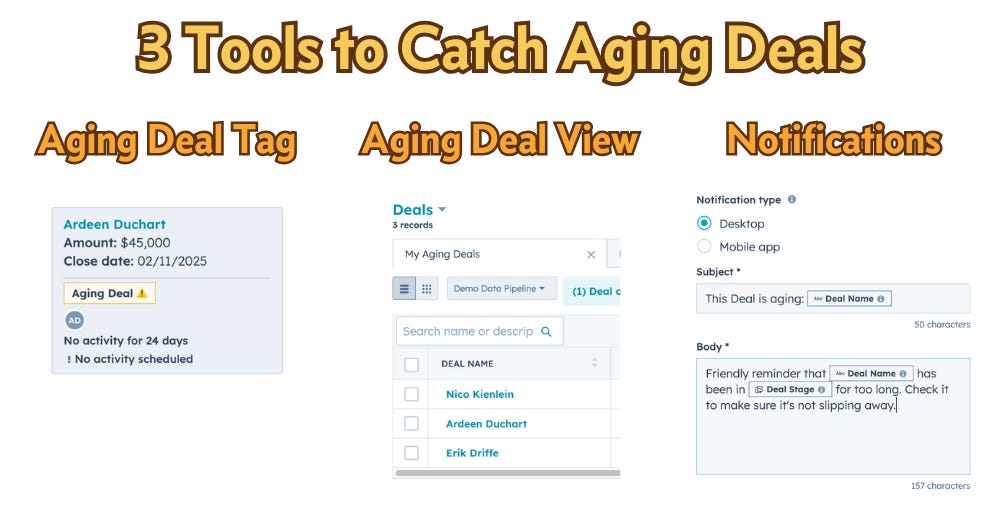
Three tools to help Reps catch Aging Deals in HubSpot
Call visual attention to Aging Deals with
Deal TagsCreate a filtered
My Aging Dealsview for RepsNotify Reps when their Deals enter an aging state.
So, let’s do this:
Make them easy to spot: set up a Deal Tag for Aging Deals
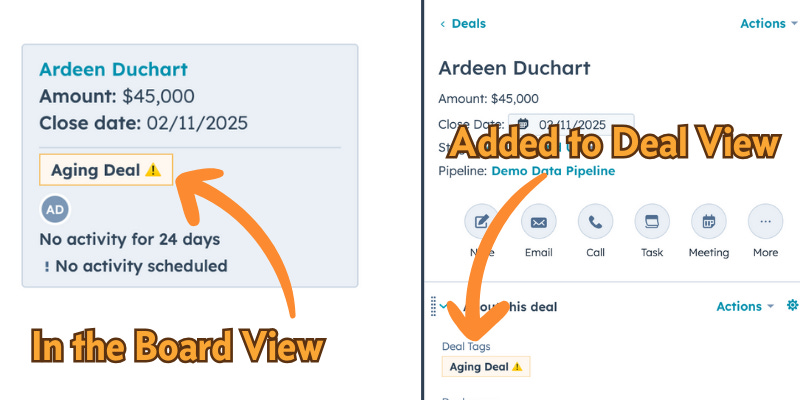
Deal tags are an awesome, easy to use, overlooked feature. They provide a visual indicator and you can use them to filter lists, views, and report data.
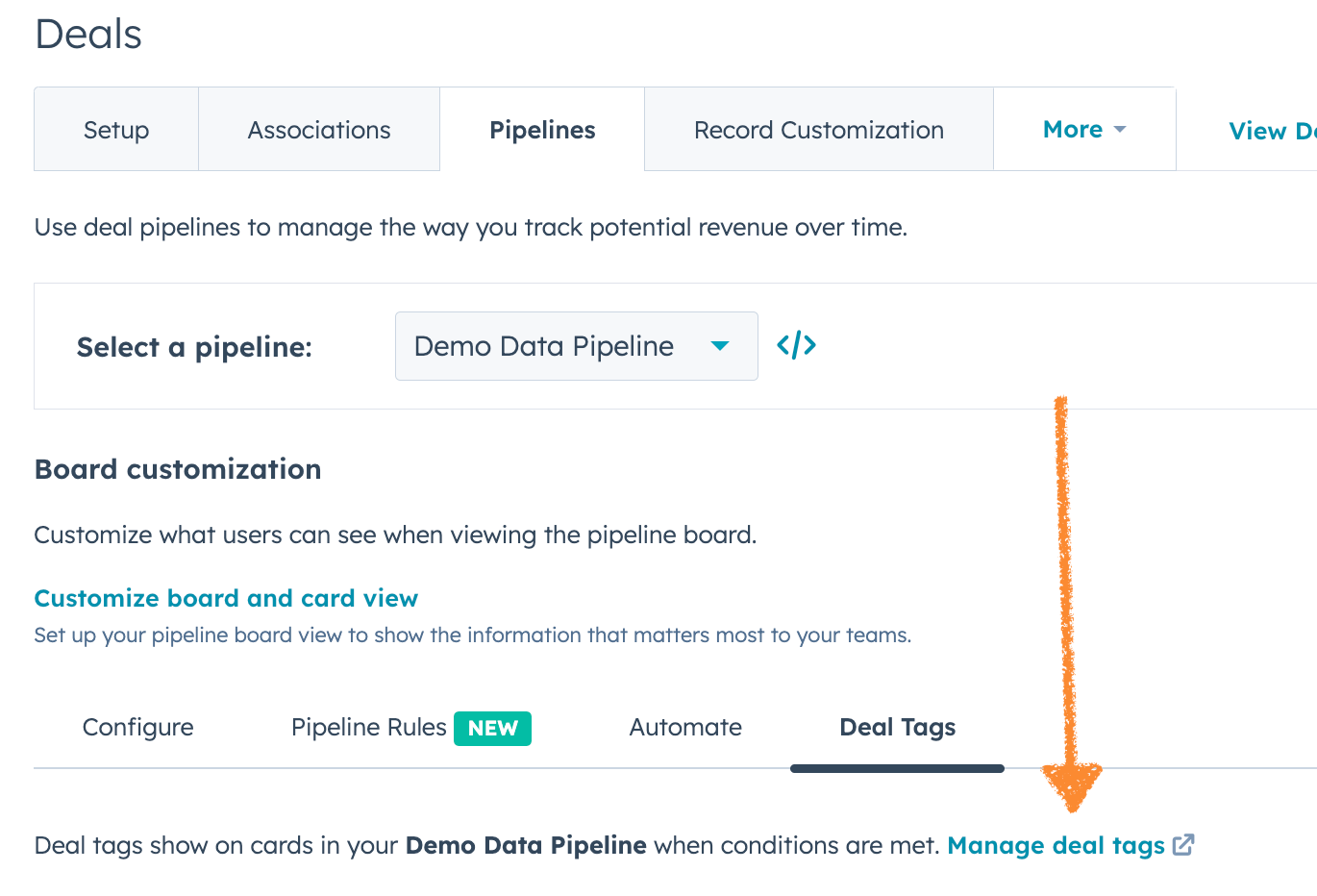
Set them up here: Settings → Deals → Pipelines → Choose your Pipeline → Deal Tags → Manage Deal Tags
Here’s a simple version of the filters for a Aging Deal Tag (make sure to choose your own Franchise Sales pipeline in the Pipeline setting):
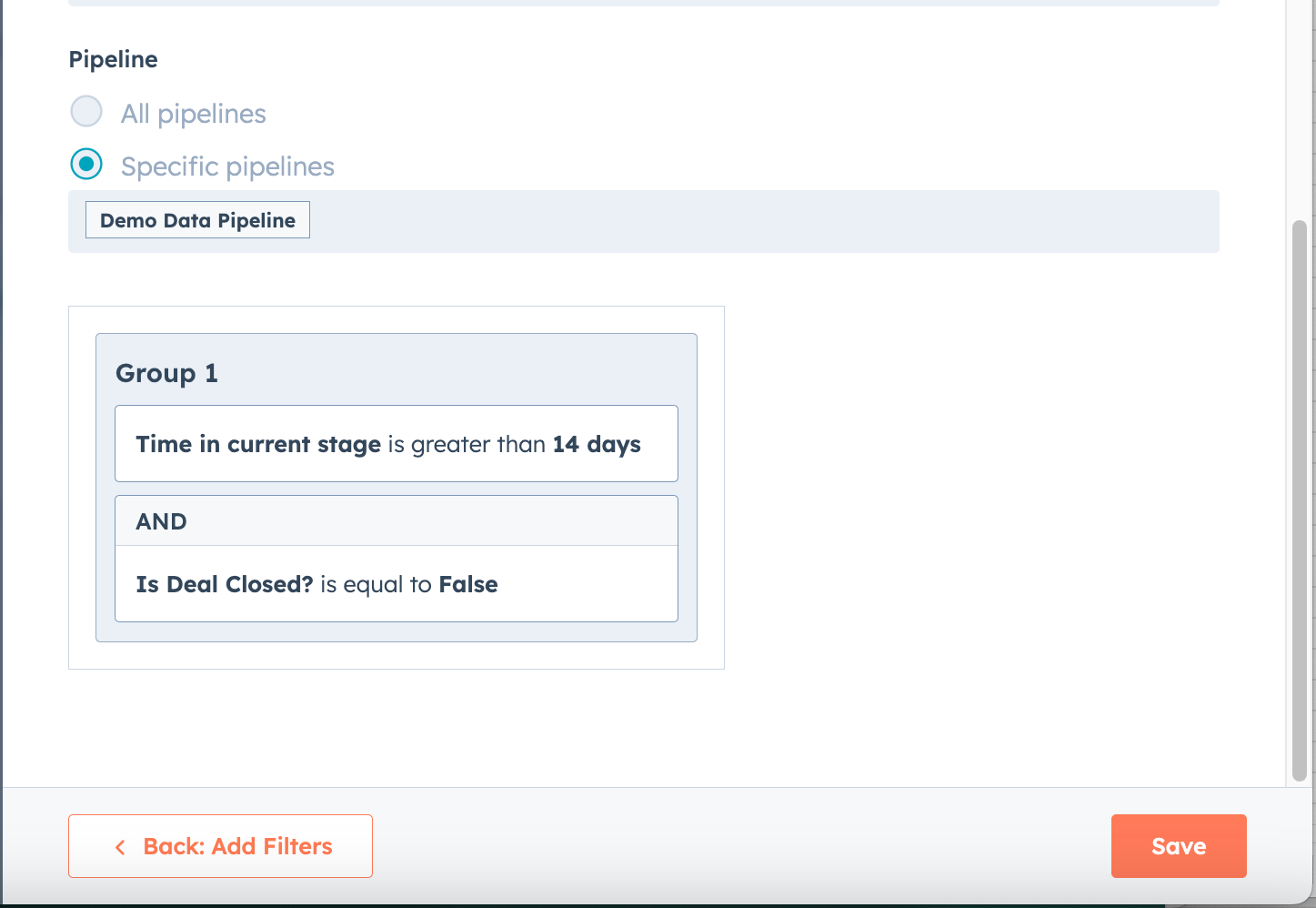
Deals that meet the filters will now display the Aging Deal tag!
Create a place to find them: a My Aging Deals view
You can create one Deal View that all FranDev reps can use to see their Aging Deals. This allows them to quickly identify sort and solve problems with those deals.
Go your
Dealspage in HubSpotCreate a new View.
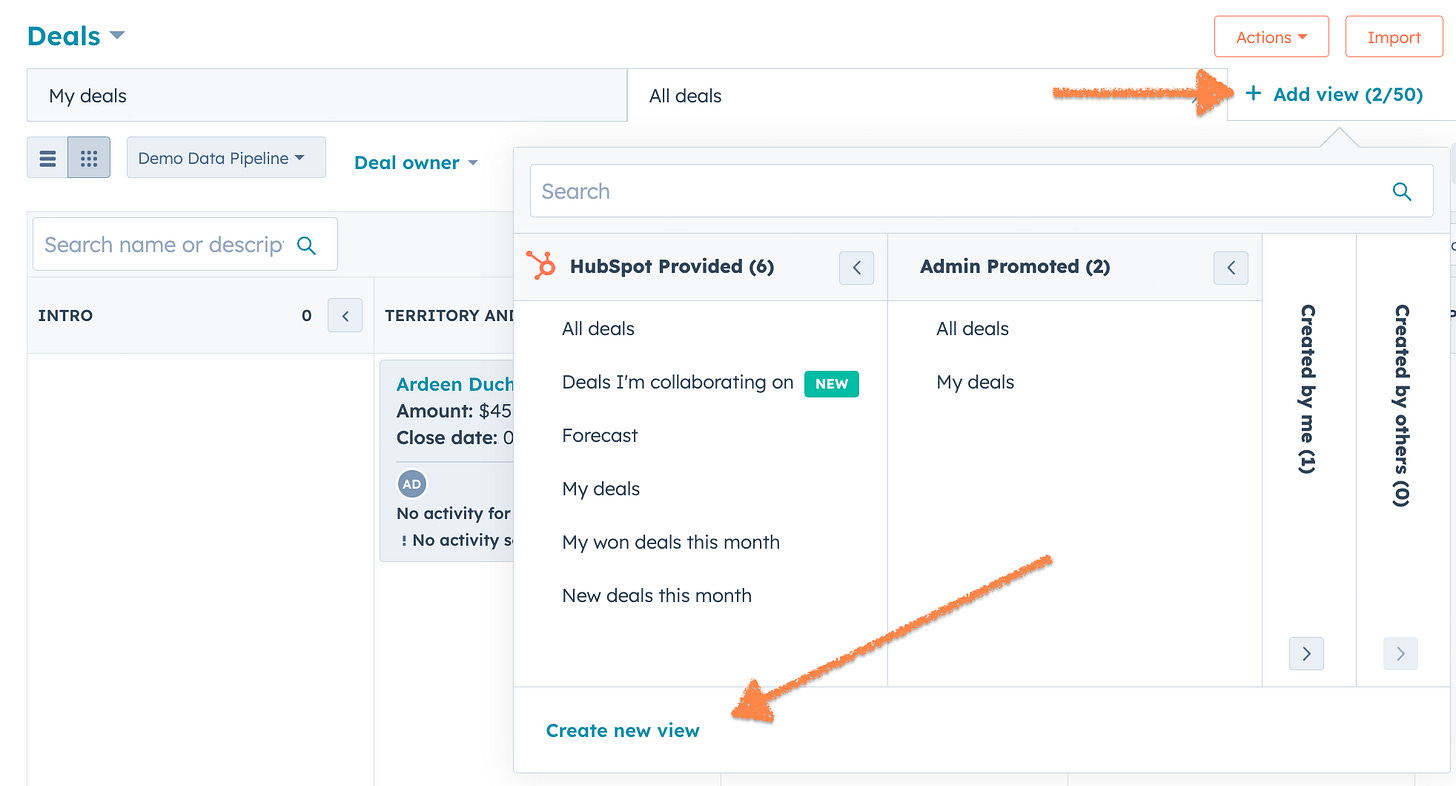
Name it My Aging Deals and give Everyone access.
Add the
Medynamic value as the Owner.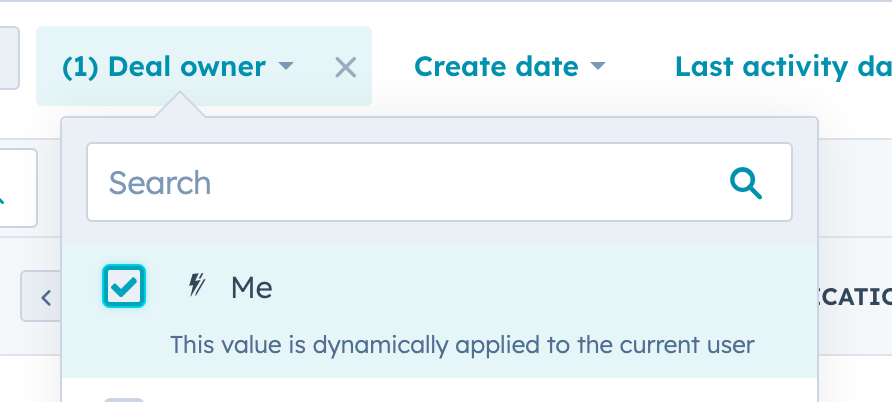
Add
Advanced Filtersfor the Aging Deal tag you created andIs Deal Closed?equal to False, so you only see open Deals.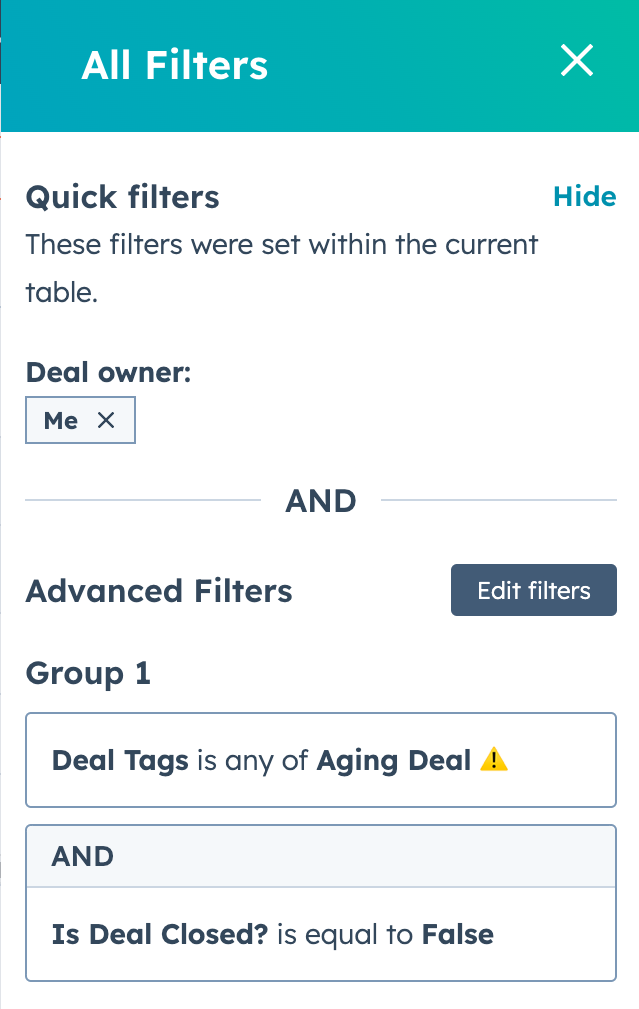
Remember to Save the View.
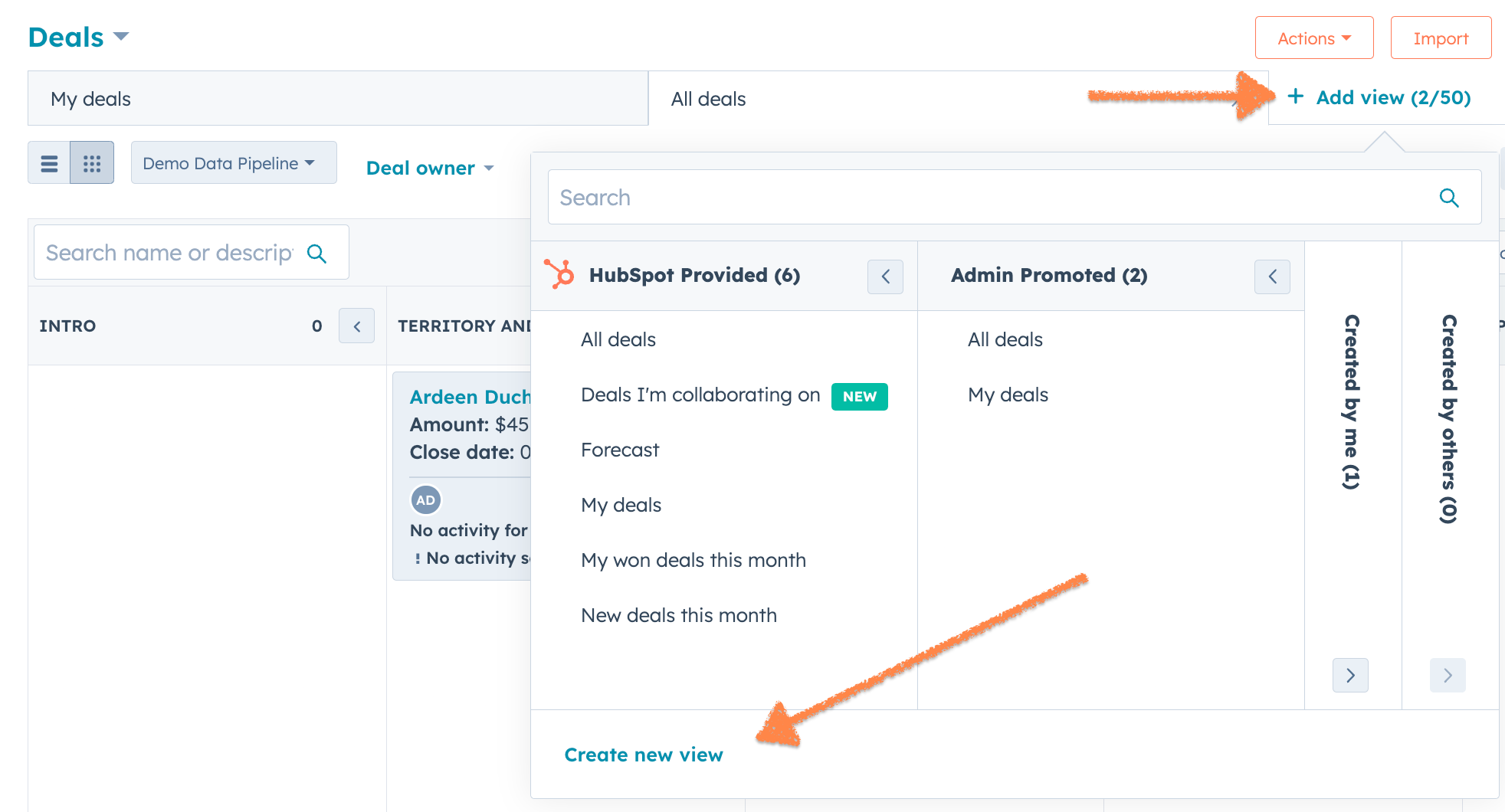
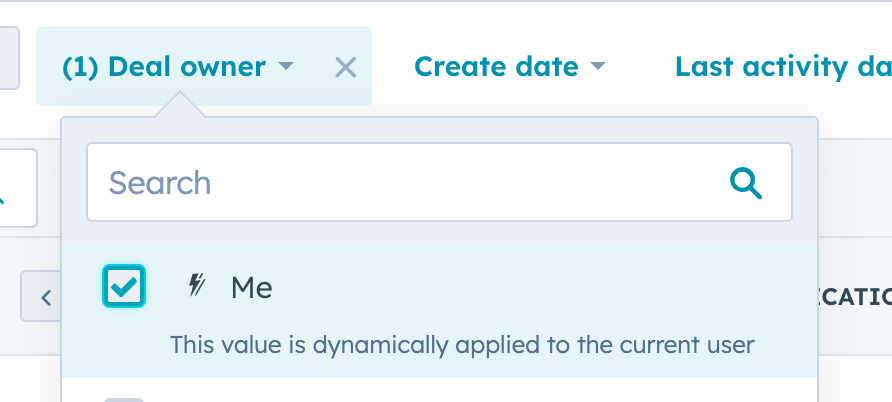
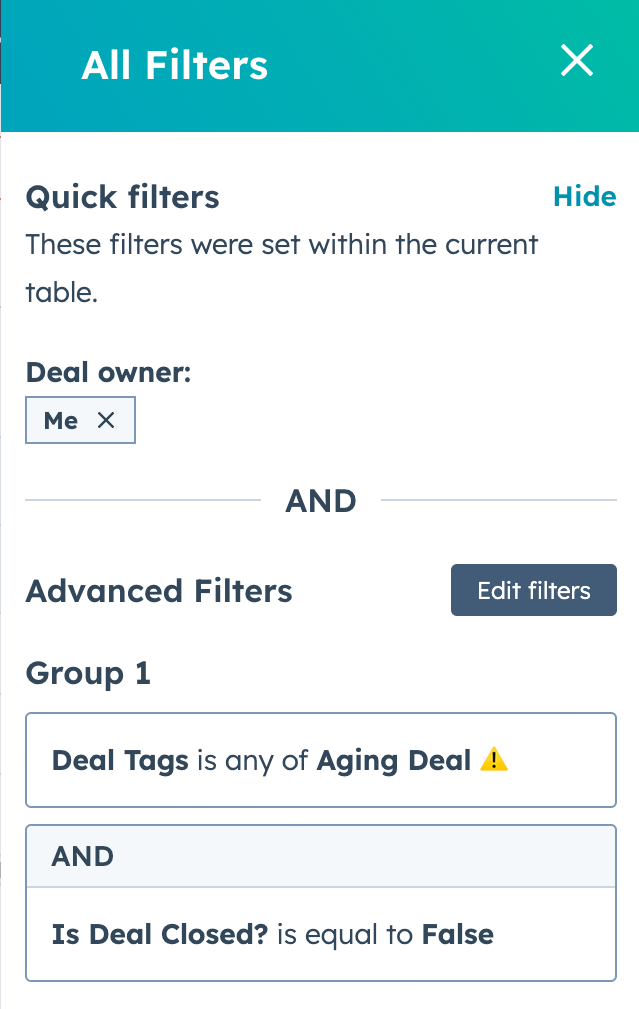
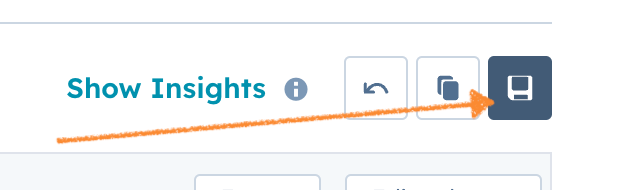
Any FranDev rep can use the Add view link to add the view to their Deals page and quickly see only their Aging Deals and act on them.
Notify Reps when it happens: notifications when Deals entering an aging state
The easiest way to notify reps that a Deal is aging is a workflow. You can choose to:
Send the Deal Owner an in-app notification to the Desktop experience
Send the Deal Owner an in-app notification to the HubSpot mobile app
Send the Deal Owner internal notification email to the Deal owner
Any combination of those options
Create a workflow that enrolls deals when the property Deals Tags changes and specify that the new value contains the Aging Deal tag we created.
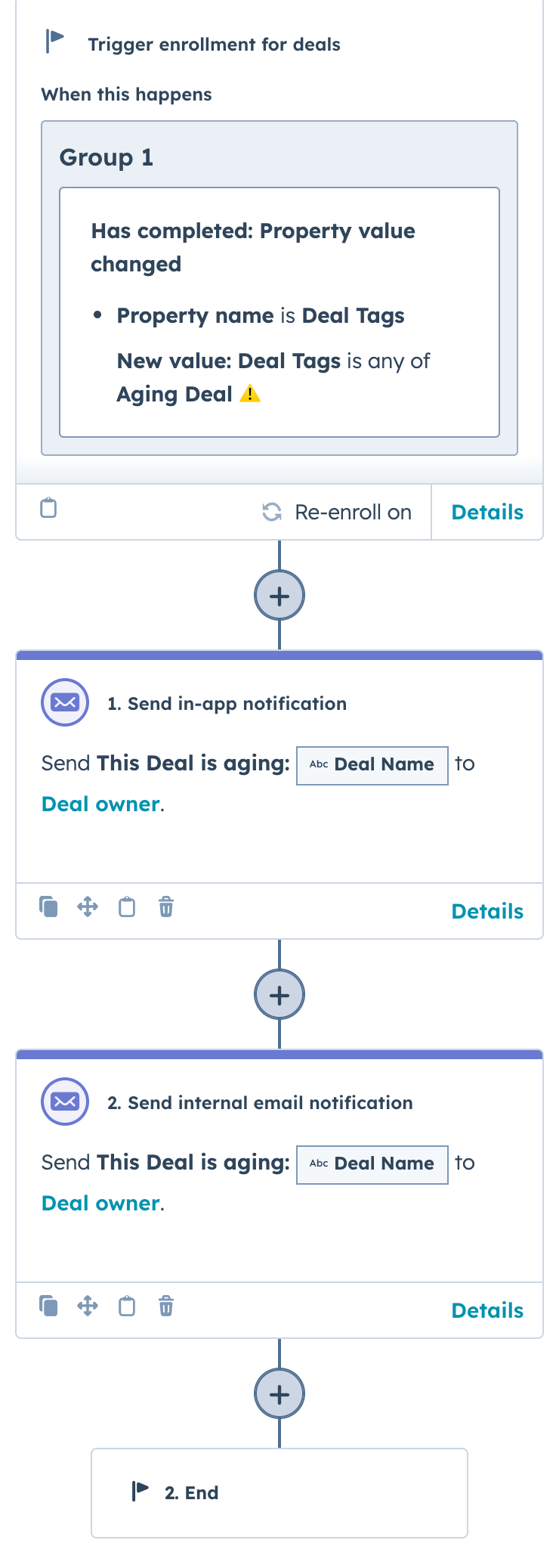
Then add the notification actions you want to use and enter the copy. Use tokens from the Deal record to give the Deal Owner context and links back to the record.
Here’s what one of those workflow actions would look like:
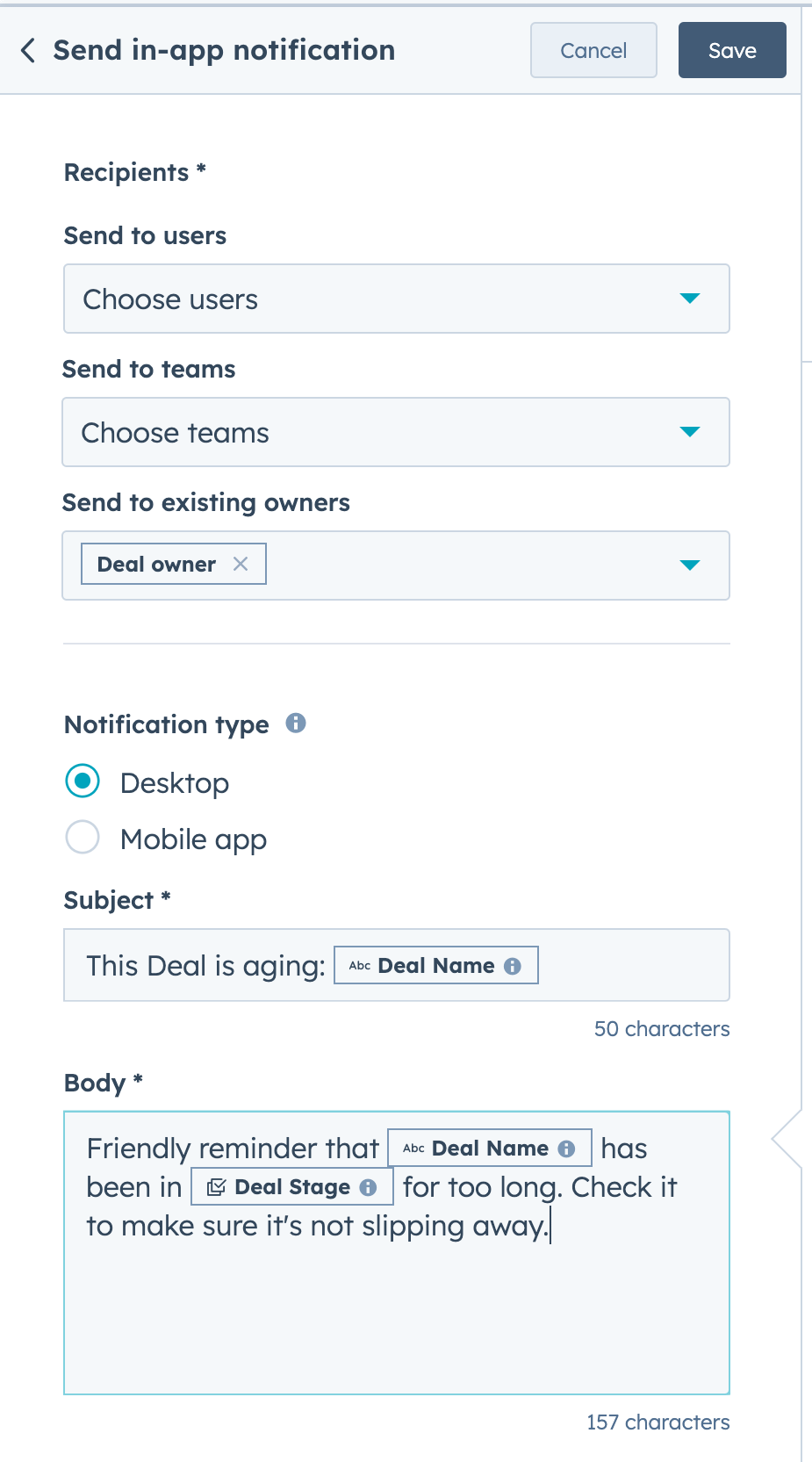
So…now what?
If you equip your reps with these three tools, you should see the number of aging deals in your pipeline go down.
As long as they use them.
You could also create a report of Aging Deals in your Pipeline (using the Deal Tag) and keep an eye on it to see if it's getting better.
I'm going to leave that as an exercise for you, but if you reply to this, I will be happy to talk you through it.
See you in the next Lab Report.
Which of these future topics are you most interested in?
Reply and let me know. Frequently requested topics get covered sooner.
Building a Franchise Application process in HubSpot
Dashboards for tracking your Meeting Types and Meeting Outcomes
Creating Playbooks for better Meeting Agendas and Notes
Automatically enrolling No Shows in re-booking Sequences